
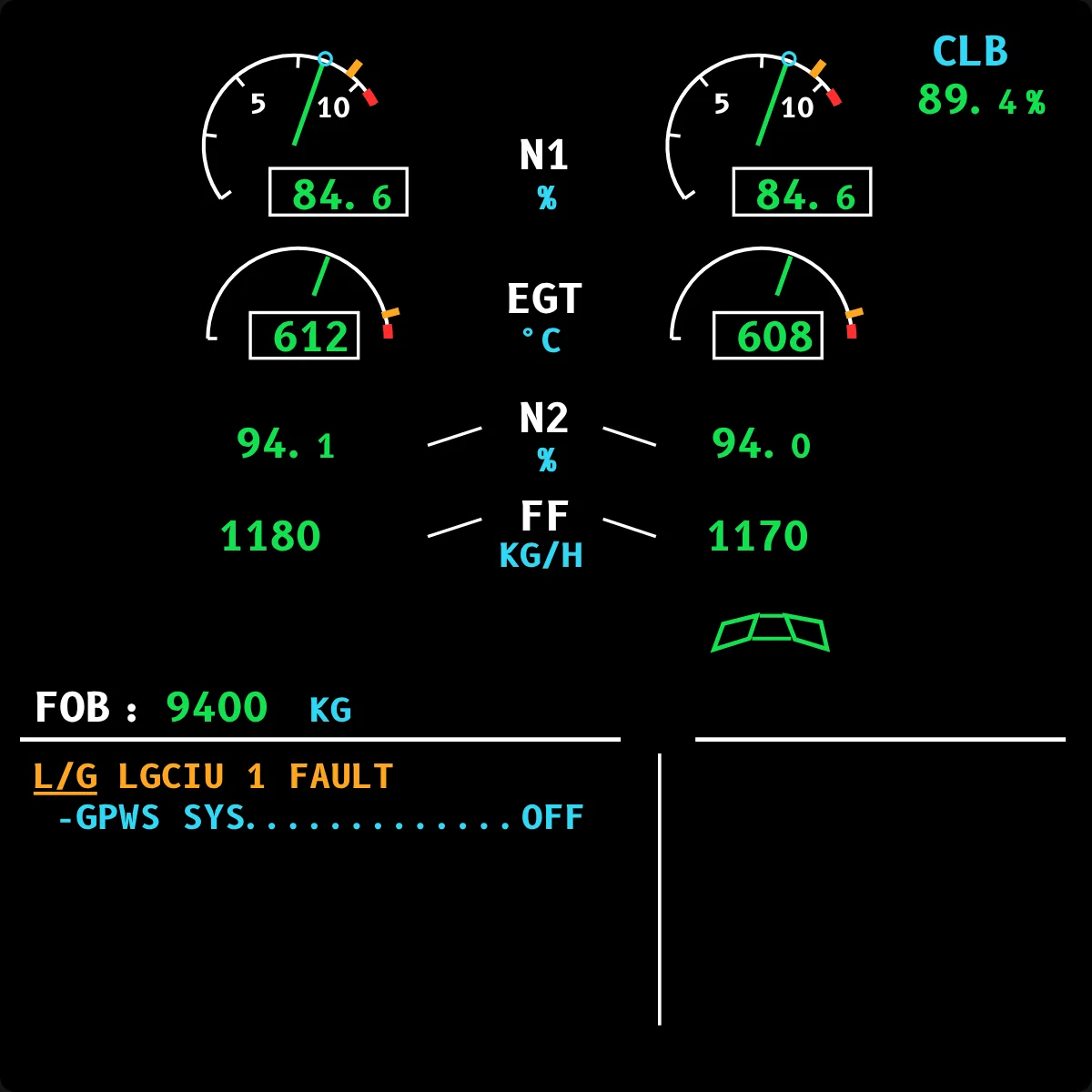
L/G LGCIU 1 FAULT
An amber caution for one of the two computers that sequence the landing gear. Here is what the LGCIUs do, what LGCIU 1 feeds that LGCIU 2 does not, why the one line on the E/WD switches the GPWS off and what STATUS loses, with the live aircraft at the moment the caution comes on.
Written and checked by current A320 pilotschecked against the FCOM on Our editorial policy
What L/G LGCIU 1 FAULT means
L/G LGCIU 1 FAULT is an amber caution: landing gear control and interface unit 1 has failed. The two LGCIUs sequence the gear and doors, send the gear's position to the ECAM and tell other systems whether the aircraft is in flight or on the ground. With one failed, the remaining LGCIU controls the gear.
The GPWS takes the downlock output of LGCIU 1 only, and with LGCIU 1 failed the GPWS receives the gear as up even when it is down: the E/WD's one line switches GPWS SYS off against untimely warnings on the approach. STATUS gives ENG 1 APPR IDLE ONLY, with LGCIU 1 and the GPWS inoperative.
Sources FCOM PRO-ABN-LG L/G LGCIU 1(2) FAULT / FCOM DSC-32-10-10 GENERAL / FCOM DSC-32-10-20 / FCOM DSC-32-10-30 PROXIMITY DETECTORS ON DOWNLOCKS / FCOM PRO-ABN-LG L/G
At a glance
- Level
- Amber caution, level 2: single chime and MASTER CAUT steady amber
- Sets it off
- LGCIU 1 failed; the remaining LGCIU controls the landing gear
- Indication
- Amber crosses in place of the right triangle of each gear on the WHEEL page
- Procedure
- One line, GPWS SYS OFF, shown when it is LGCIU 1 that has failed
- STATUS
- ENG 1 APPR IDLE ONLY; LGCIU 1 and the GPWS inoperative, and REVERSER 1 in one version
Sources FCOM DSC-31-10 WARNING/CAUTION CLASSIFICATION / FCOM DSC-31-30 ATTENTION GETTERS / FCOM PRO-ABN-LG L/G LGCIU 1(2) FAULT / FCOM DSC-32-10-20 / FCOM DSC-32-10-40 WHEEL SD PAGE / FCOM PRO-ABN-LG L/G / FCOM PRO-ABN-LG
What do the two LGCIUs do?
The gear and doors are electrically controlled and hydraulically operated. Two Landing Gear Control and Interface Units control the extension and retraction of the gear and the operation of the doors, supply the gear information the ECAM displays, and send signals to other aircraft systems saying whether the aircraft is in flight or on the ground.
Proximity detectors tell the LGCIUs whether each gear is locked down or up, each shock absorber compressed or extended, and the gear doors open or closed. The LGCIUs also receive position information from the cargo doors and process the signals of four flap disconnect switches for the SFCCs.
The two units take turns. One LGCIU controls a complete gear cycle, then switches over automatically to the other at the end of the retraction; it also switches over in case of failure. With one LGCIU failed, the remaining one controls the gear.
Sources FCOM DSC-32-10-10 GENERAL / FCOM DSC-32-10-20 LANDING GEAR CONTROL INTERFACE UNIT (LGCIU) / FCOM DSC-32-10-20 / FCOM DSC-32-10-10 LANDING GEARS AND DOORS OPERATION
Two LGCIUs, and who reads which
What does the crew see and hear?
A level 2 caution: a single chime, the MASTER CAUT light steady amber and the caution in amber on the E/WD, with the WHEEL page called on the SD.
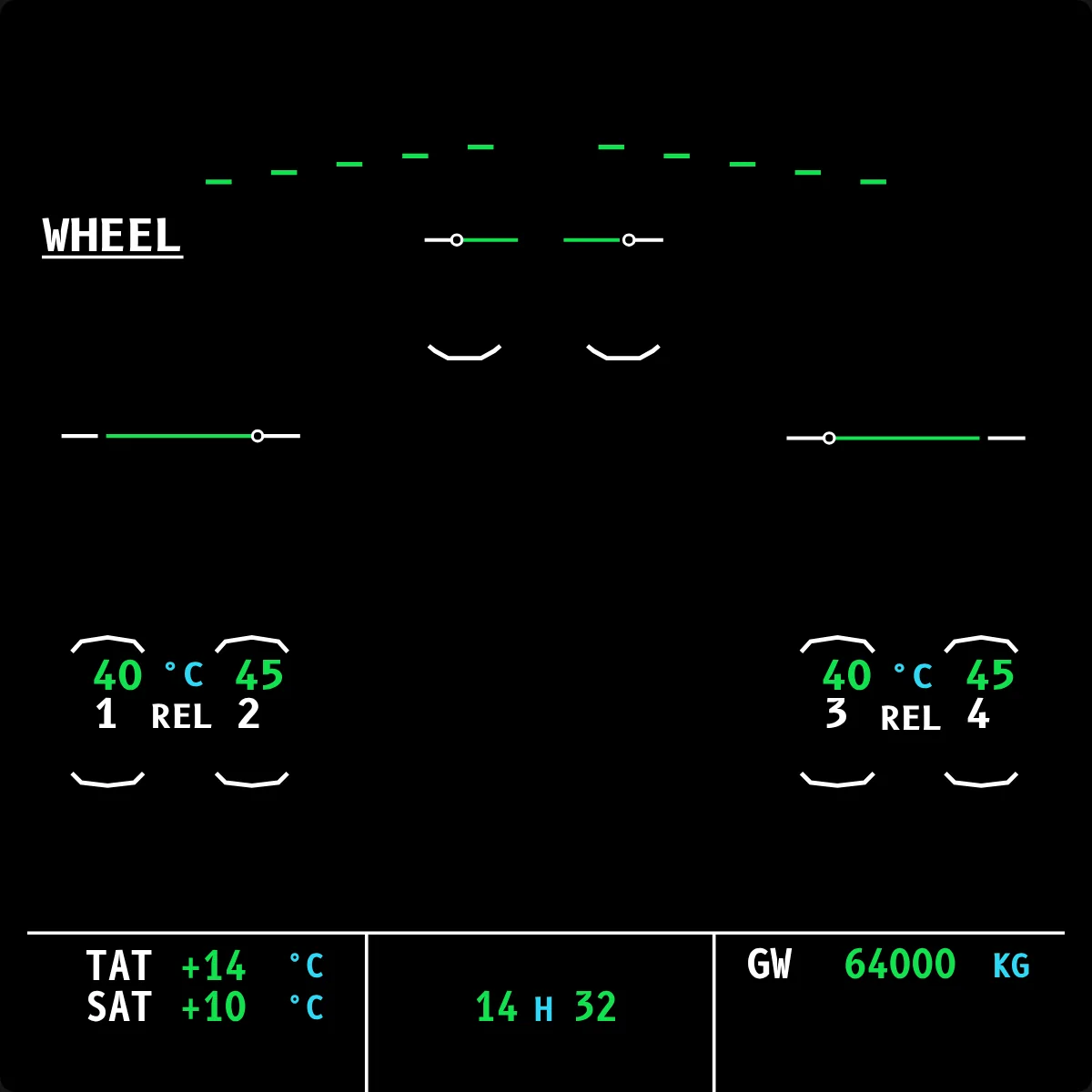
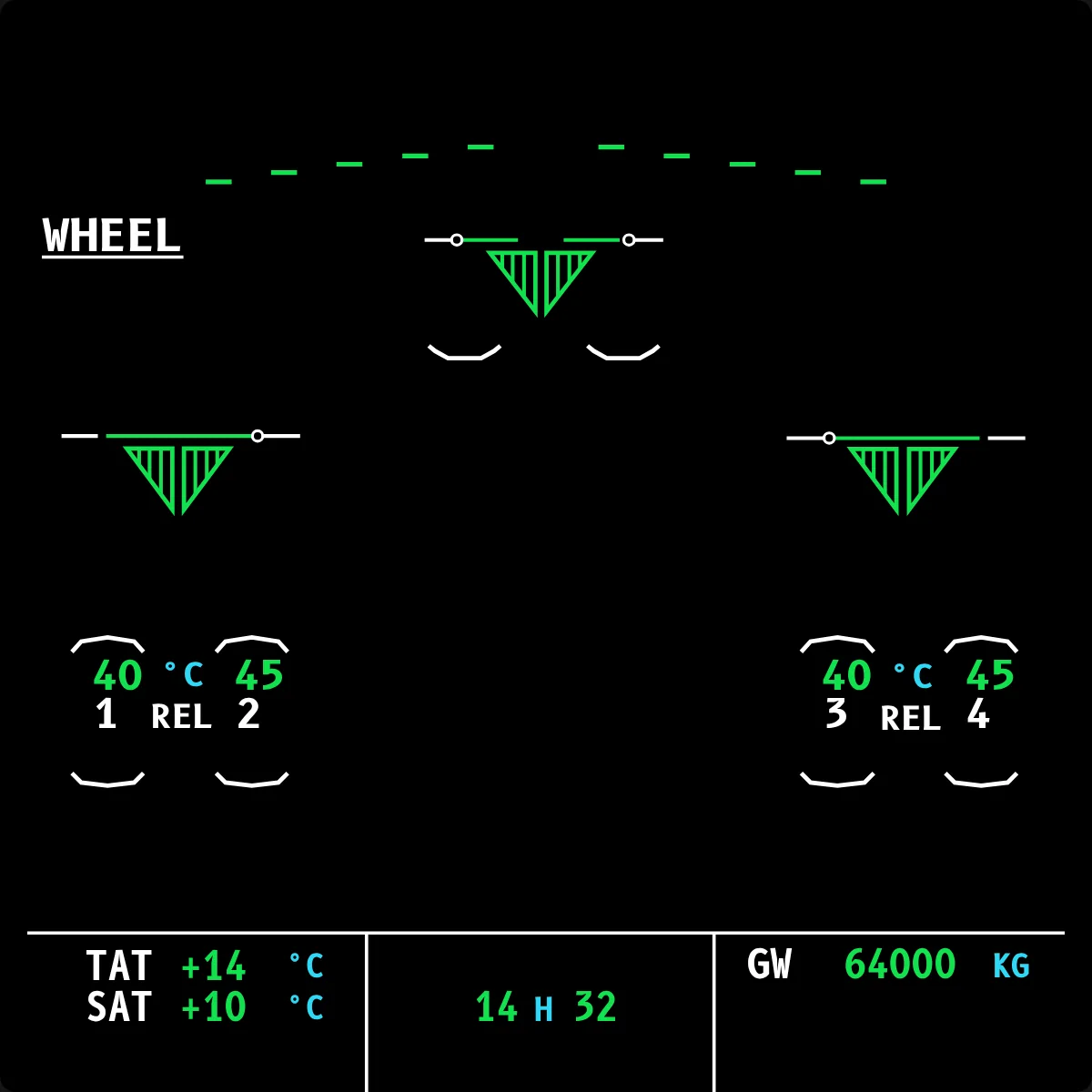
On the WHEEL page, the gear's position is shown by two triangles for each gear, and "Amber crosses will replace the right triangle to indicate that LGCIU 1 or LGCIU 2 has failed."
The E/WD has one line in blue, GPWS SYS OFF. It sits under the condition "If LGCIU 1 is failed", printed in small letters, the FCOM's mark of a condition that does not appear on the ECAM. For an LGCIU 2 failure the procedure has no line.
The FCOM's flight phase chart inhibits the caution from takeoff power to 1 500 ft, and from 800 ft down to 80 kt after touchdown.
Sources FCOM DSC-31-10 WARNING/CAUTION CLASSIFICATION / FCOM DSC-31-30 ATTENTION GETTERS / FCOM DSC-31-20 SYSTEM PAGES / FCOM DSC-32-10-40 WHEEL SD PAGE / FCOM PRO-ABN-LG L/G / FCOM PRO-ABN-ABN-00 INTRODUCTION / FCOM PRO-ABN-LG L/G LGCIU 1(2) FAULT / FCOM DSC-31-15 FLIGHT PHASES
The moment the caution comes on
In flight with the gear up and locked, both LGCIUs working. The panel below is the overhead's left column, with the GPWS pushbuttons. Press the button to fail LGCIU 1, then read the E/WD, the WHEEL page and the GPWS SYS pushbutton.
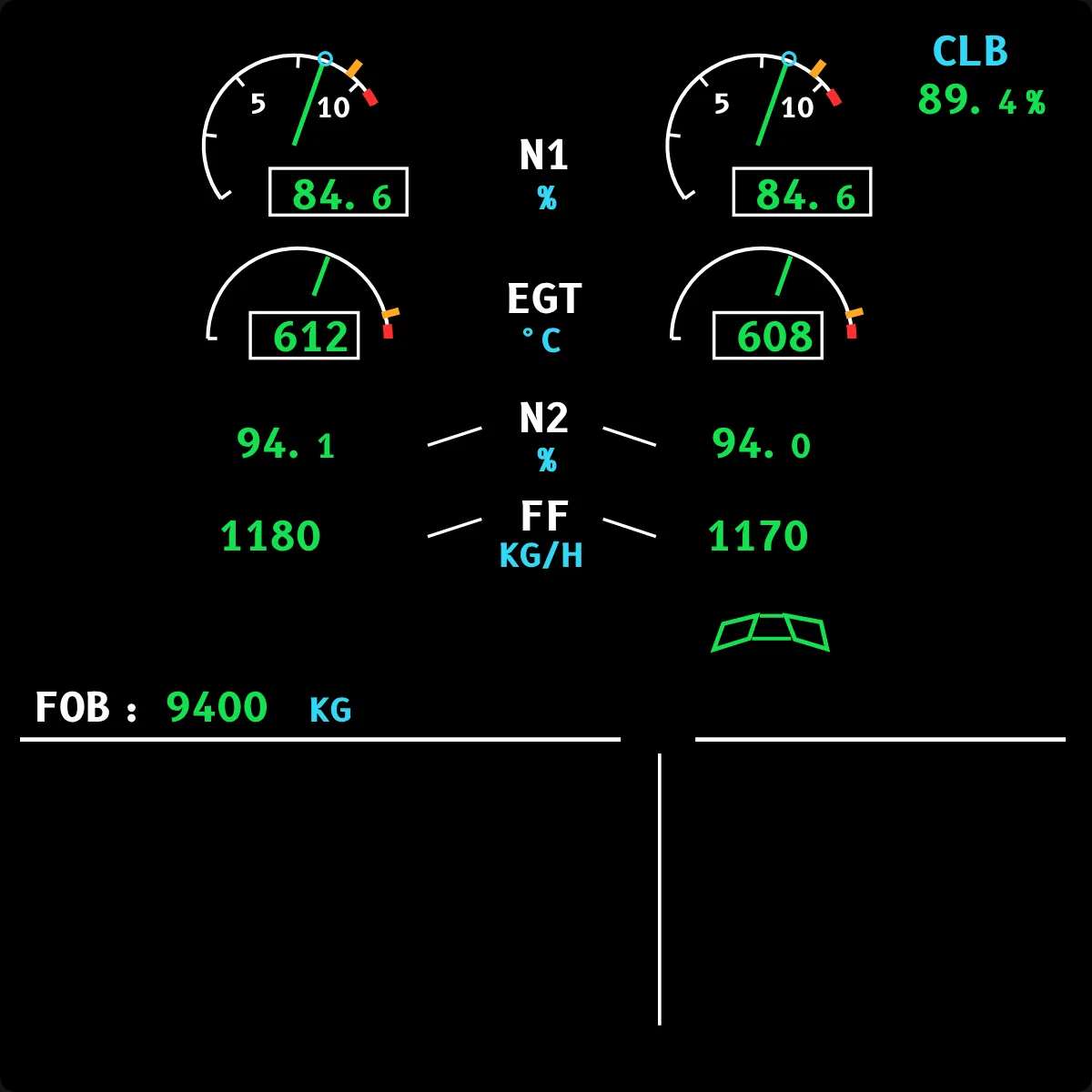

The alert Fail LGCIU 1
L/G LGCIU 1 FAULT comes up in amber with one line in blue, GPWS SYS OFF. In the drawing the SYS pushbutton stays dark; the FCOM describes its FAULT light for a malfunction of the basic GPWS modes 1 to 5.
The WHEEL page draws its amber crosses beside each gear, with the gear up. The FCOM describes the crosses replacing the right triangle, and its figure of the page shows the gear down. Working the line is what the ECAM Trainer does with you.
Sources FCOM PRO-ABN-LG L/G / FCOM DSC-34-SURV-40-40 OVERHEAD PANEL / FCOM DSC-32-10-40 WHEEL SD PAGE
What does LGCIU 1 feed that LGCIU 2 does not?
The FCOM's interaction tables give, for each user, the outputs it takes from LGCIU 1, from LGCIU 2 or from both. The gear control, the door control and the WHEEL page take outputs from both units.
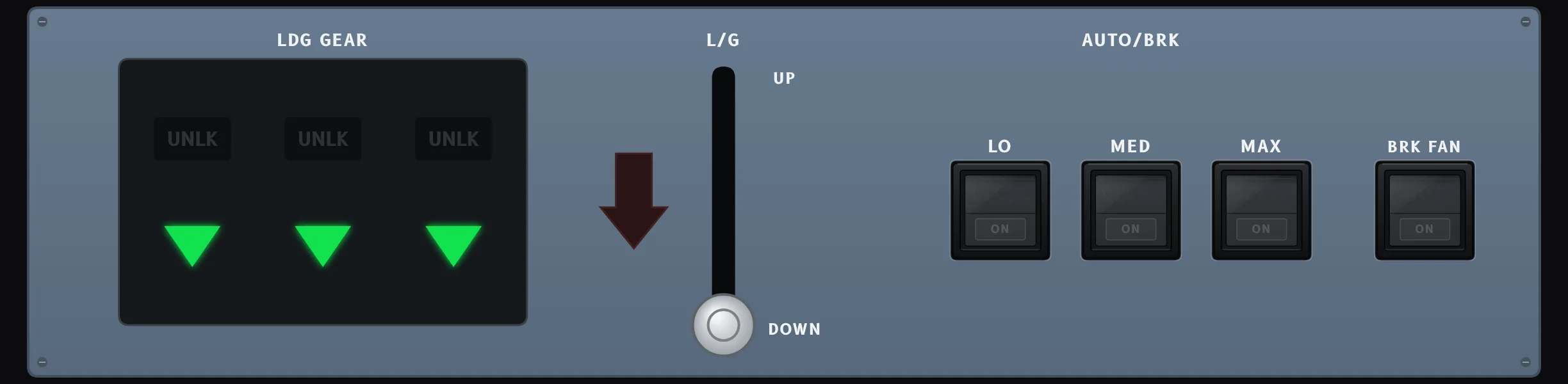
The LDG GEAR indicator panel is connected to LGCIU 1 only: its lights come on as long as LGCIU 1 is electrically supplied. If one UNLK stays on, the gear's position can be confirmed on the WHEEL page, fed by both LGCIUs.
The GPWS takes the downlock output of LGCIU 1 only. With the gear downlocked, its "TOO LOW-FLAPS" or "TOO LOW TERRAIN" warning is operative; with the gear not downlocked, "TOO LOW-GEAR" or "TOO LOW TERRAIN".
The landing gear safety valve takes an output of LGCIU 1 only: in flight it closes above 260 kt, on the ground it is open. Some users take one side each: FADEC 1 takes outputs of LGCIU 1 and FADEC 2 the same outputs of LGCIU 2, with the reverse inhibited in flight and available on the ground.
Sources FCOM DSC-32-10-30 GENERAL / FCOM DSC-32-10-30 PROXIMITY DETECTORS ON SHOCK ABSORBERS / FCOM DSC-32-10-30 PROXIMITY DETECTORS ON UPLOCKS / FCOM DSC-32-10-30 PROXIMITY DETECTORS ON DOORS / FCOM DSC-32-10-30 PROXIMITY DETECTORS ON DOWNLOCKS / FCOM DSC-32-10-40 LANDING GEAR INDICATOR PANEL
Why switch the GPWS off?
The FCOM gives the reason with the line: the GPWS receives "L/G in up position" information even if the landing gear is down, and GPWS SYS is set OFF to prevent untimely warnings during the approach.
With the SYS pushbutton OFF, all basic GPWS alerts, modes 1 to 5, are inhibited. The TERR pushbutton is a separate control: its OFF inhibits the terrain awareness display and the terrain clearance floor, and does not affect the basic modes.
On STATUS the GPWS appears under INOP SYS with a footnote that limits it to an LGCIU 1 failure.
Sources FCOM PRO-ABN-LG L/G / FCOM DSC-34-SURV-40-40 OVERHEAD PANEL / FCOM PRO-ABN-LG
What does the crew see with the gear down?
With the gear down, a green triangle shows that one LGCIU detects a gear downlocked. Only one green triangle on each gear is needed to confirm that the gear is downlocked.
The LDG GEAR indicator panel is connected to LGCIU 1 only, and its lights remain available if LGCIU 1 is electrically supplied, both units failed or not.
Sources FCOM DSC-32-10-40 WHEEL SD PAGE / FCOM DSC-32-10-40 LANDING GEAR INDICATOR PANEL / FCOM PRO-ABN-LG L/G
The gear down, then one LGCIU or both lost
In flight with the gear down and locked: three green triangles on the LDG GEAR panel below and two for each gear on the WHEEL page. Press one failure at a time and compare the two.
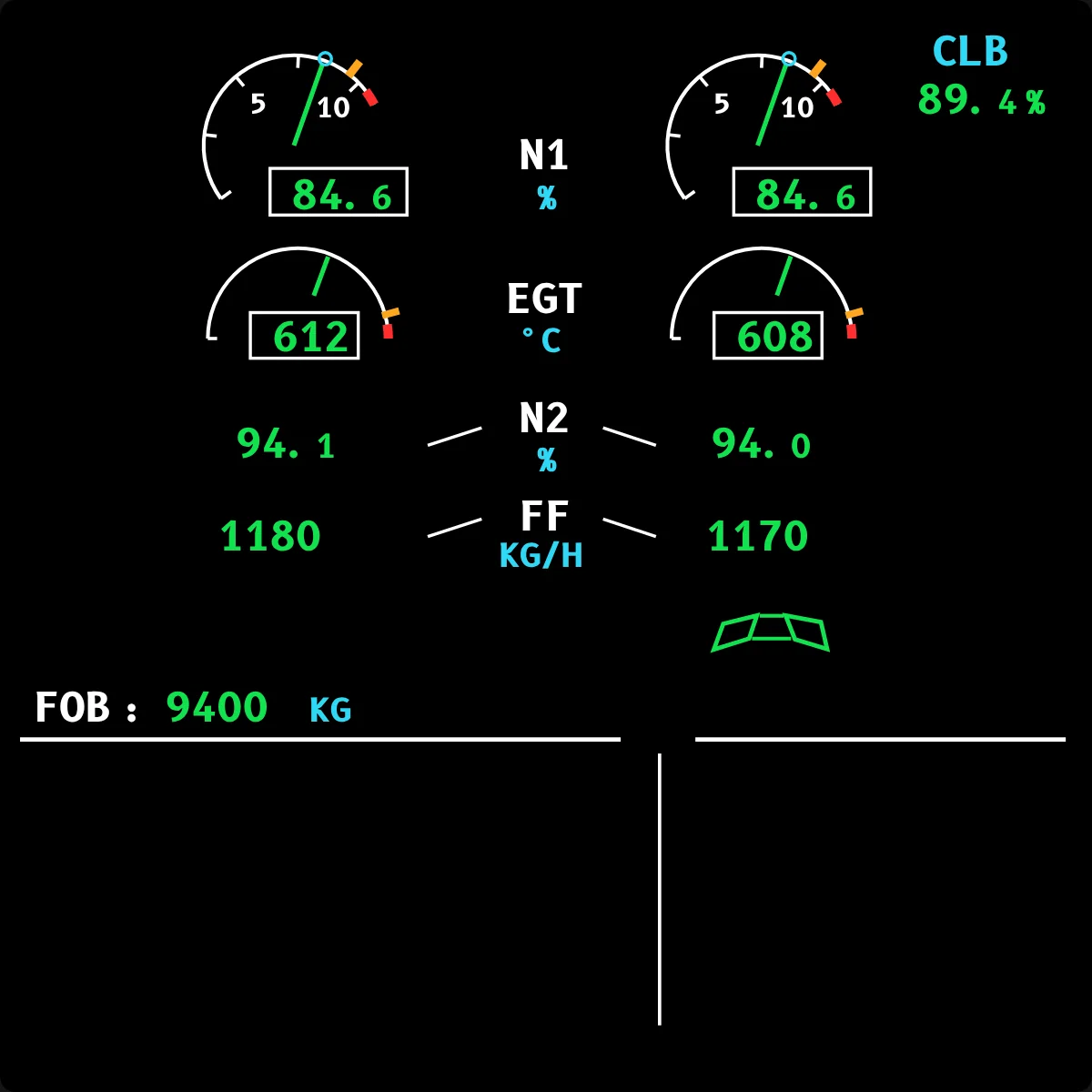
The alert Fail LGCIU 1
On the WHEEL page an amber cross takes the right triangle's place on each gear; the green triangle left on each is enough to confirm the gear downlocked. The LDG GEAR panel keeps its three green triangles.
Sources FCOM DSC-32-10-40 WHEEL SD PAGE / FCOM DSC-32-10-40 LANDING GEAR INDICATOR PANEL
The alert Fail both LGCIUs
A different caution, with L/G GRVTY EXTN before GPWS SYS OFF. The LDG GEAR panel keeps its green triangles: the FCOM says its lights remain available if LGCIU 1 is electrically supplied.
The drawing keeps the WHEEL page's crosses and triangles. The FCOM says normal gear control and position indications are lost with both LGCIUs.
Sources FCOM PRO-ABN-LG L/G
What does STATUS lose?
STATUS gives ENG 1 APPR IDLE ONLY in green, with its explanation: "When idle is selected on ground with slats extended, only approach idle is available." Under INOP SYS, in amber: LGCIU 1, and the GPWS for an LGCIU 1 failure.
The FCOM prints two versions of this STATUS. One also lists REVERSER 1(2) under INOP SYS; the other does not. Both note that the partial spoiler extension (where fitted) at landing, with only one main gear compressed, is not available, the spoilers extending normally on the ground above 72 kt of wheel speed.
Both versions end with a note: depending on the LGCIU failure, only a part of the above systems may be lost. The FCOM gives no further reason for the engine lines.
Sources FCOM PRO-ABN-LG L/G / FCOM PRO-ABN-LG / FCOM DSC-31-20 STATUS PAGE
The approach idle itself differs by type in the FADEC's description: on the A319ceo and A320ceo it is selected in flight with the flaps extended; on the A320neo and A321neo, in CONF 3 or FULL, or with the gear down.
Sources FCOM DSC-70-20 IDLE CONTROL
What is lost afterwards?
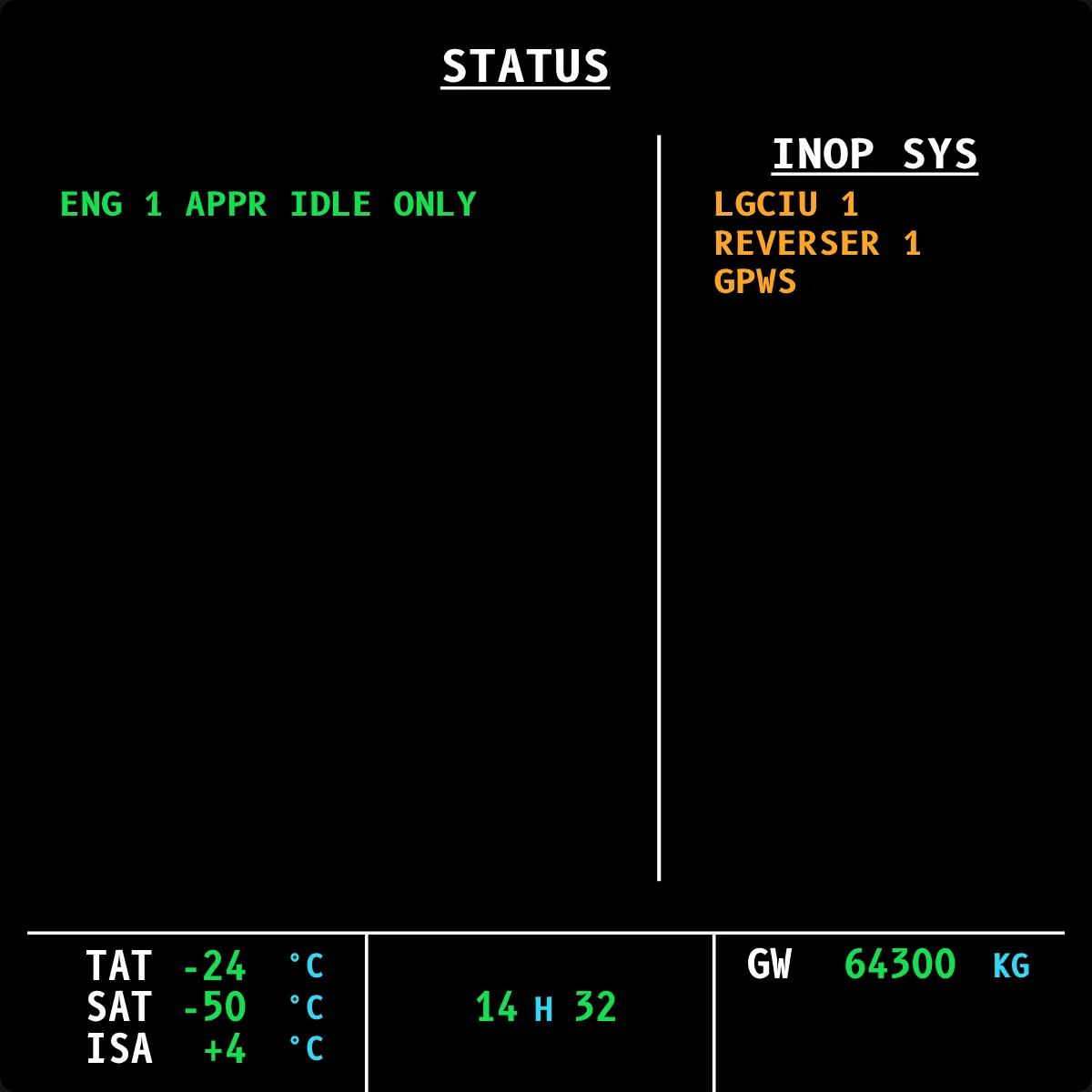
STATUS is the aircraft's operational summary: information in green, inoperative systems in amber. This version lists ENG 1 APPR IDLE ONLY, then LGCIU 1, REVERSER 1 and the GPWS under INOP SYS.
The other version the FCOM prints has the same lines without REVERSER 1(2). The ECAM Trainer draws only the version with REVERSER 1, so only this one is shown.
Which version applies depends on your aircraft: check your own FCOM.
Sources FCOM DSC-31-20 STATUS PAGE / FCOM PRO-ABN-LG L/G / FCOM PRO-ABN-LG
A319ceo, A320ceo, A320neo, A321neo: what differs?
| A319ceo, A320ceo | A320neo, A321neo | |
|---|---|---|
| The caution and its procedure | The same in every version | The same in every version |
| STATUS | Not given by type: one version lists REVERSER 1(2) under INOP SYS, another does not | Not given by type: the same two versions |
| The GPWS SYS pushbutton | The same on all four types: OFF inhibits the basic modes 1 to 5 | The same on all four types: OFF inhibits the basic modes 1 to 5 |
| Approach idle, in flight | A319ceo and A320ceo: selected with the flaps extended | A320neo and A321neo: selected in CONF 3 or FULL, or with the gear down |
Sources FCOM PRO-ABN-LG L/G LGCIU 1(2) FAULT / FCOM PRO-ABN-LG L/G / FCOM PRO-ABN-LG / FCOM DSC-34-SURV-40-40 OVERHEAD PANEL / FCOM DSC-70-20 IDLE CONTROL

Work L/G LGCIU 1 FAULT as a crew
Read and do each line against the FCOM, with the E/WD, the SD page and the overhead following your hands, the PF and PM calls, and a debrief that says what you missed.
Work this failure in the ECAM TrainerGo further
Written in our own words from the FCOM and the FCTM; each part names the units it rests on. The E/WD, the STATUS and the live aircraft are the platform's own ECAM and systems model, the same the ECAM Trainer and the flight deck run. This page explains the procedure; it is not the procedure. Aircraft differ by type, engine and options: your aircraft's FCOM, your QRH and your operator's procedures always come first. How we write and check these pages.
Every ECAM procedure, line by line, against the FCOM.
The ECAM Trainer works 108 scenarios with the E/WD, the SD page and the overhead following your hands. Start free today, or open everything with A320 Knowledge+.
For study and revision only. Always follow your operator's approved documentation and procedures. A320 Knowledge is independent and not affiliated with Airbus.
Related
- L/G DOORS NOT CLOSEDAn amber caution for a landing gear door that has not locked up.
- L/G LGCIU 1+2 FAULTAn amber caution for the loss of both computers that sequence the landing gear.
- L/G GEAR NOT DOWNLOCKEDA red warning for a gear that has not locked down with the lever down.
- L/G GEAR NOT UPLOCKEDAn amber caution for a gear that has not locked up after the lever went up.
- A320 landing gear and brakesThe system guide, with the live aircraft
- Every ECAM procedureThe alerts the ECAM Trainer works, grouped by system