FWS SDAC 1 FAULT
An amber caution for one of the two data concentrators between the aircraft systems and the ECAM. Here is what the SDACs feed, what the crew sees when SDAC 1 fails, what its STATUS note means and what losing both would take, with the live aircraft at the moment the caution comes on.
Written and checked by current A320 pilotschecked against the FCOM on Our editorial policy
What FWS SDAC 1 FAULT means
FWS SDAC 1 FAULT is an amber caution: system data acquisition concentrator 1 has failed. The two identical SDACs acquire data and generate signals: some go to the three DMCs for the system pages and engine parameters, others to the FWCs for the ECAM messages and aural alerts.
The caution brings no action line. STATUS lists SDAC 1 under INOP SYS, with a note that, although the ECAM may display some symbols or parameters in amber, this does not always mean that further systems have failed.
Sources FCOM PRO-ABN-FWS FWS SDAC 1(2) FAULT / FCOM DSC-31-05-30 SYSTEM DATA ACQUISITION CONCENTRATOR (SDAC) / FCOM PRO-ABN-FWS FWS
At a glance
- Level
- Amber caution, level 2: single chime and MASTER CAUT steady amber
- Sets it off
- SDAC 1 failed (the same alert covers SDAC 2)
- E/WD
- The title alone: no line for the crew to action
- STATUS
- SDAC 1 under INOP SYS, with a note on amber symbols and parameters
- Both SDACs
- FWS SDAC 1 + 2 FAULT: some amber cautions and the aircraft status on the STATUS page lost
Sources FCOM DSC-31-10 WARNING/CAUTION CLASSIFICATION / FCOM DSC-31-30 ATTENTION GETTERS / FCOM PRO-ABN-FWS FWS SDAC 1(2) FAULT / FCOM PRO-ABN-FWS FWS / FCOM PRO-ABN-FWS FWS SDAC 1 + 2 FAULT
What do the two SDACs do?
The two identical SDACs acquire data, then generate signals. Some of these go to the three DMCs, which use them to generate the system pages and the engine parameters. Others go to the FWCs, which use them to generate ECAM messages and aural alerts.
The FWCs take their data in two ways: directly from the aircraft's sensors or systems to generate the red warnings, and through the SDACs to generate the amber cautions.
The DMCs send their data on to the display units, which generate the images: the E/WD and the SD among them, with DMC 1 driving the ECAM in normal operation.
Sources FCOM DSC-31-05-30 SYSTEM DATA ACQUISITION CONCENTRATOR (SDAC) / FCOM DSC-31-05-30 FLIGHT WARNING COMPUTER (FWC) / FCOM DSC-31-05-30 DISPLAY MANAGEMENT COMPUTER (DMC) / FCOM DSC-31-05-50 RECONFIGURING THE DISPLAY MANAGEMENT COMPUTER (DMC)
Two SDACs, two directions
What does the crew see and hear?
A level 2 caution: a single chime, the MASTER CAUT light steady amber and FWS SDAC 1 FAULT in amber on the E/WD. The FCOM's procedure for it has no line for the crew to action.
The ECAM Trainer calls no system page with it; the SD stays where it was. The FCOM's flight phase chart inhibits the caution from takeoff power to 1 500 ft, and from 800 ft down to 80 kt after touchdown.
Sources FCOM DSC-31-10 WARNING/CAUTION CLASSIFICATION / FCOM DSC-31-30 ATTENTION GETTERS / FCOM PRO-ABN-FWS FWS SDAC 1(2) FAULT / FCOM PRO-ABN-FWS FWS / FCOM DSC-31-15 FLIGHT PHASES
The moment the caution comes on
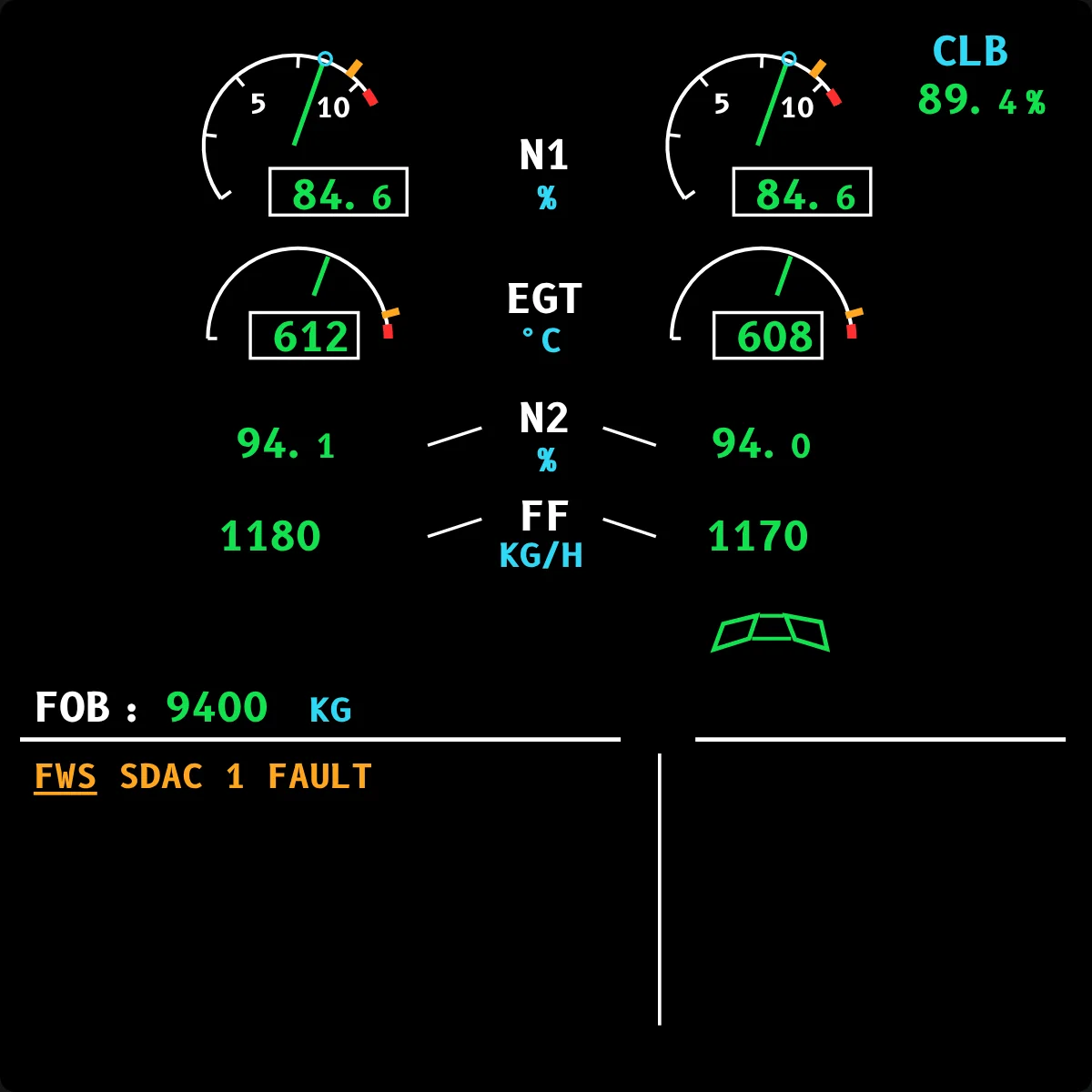
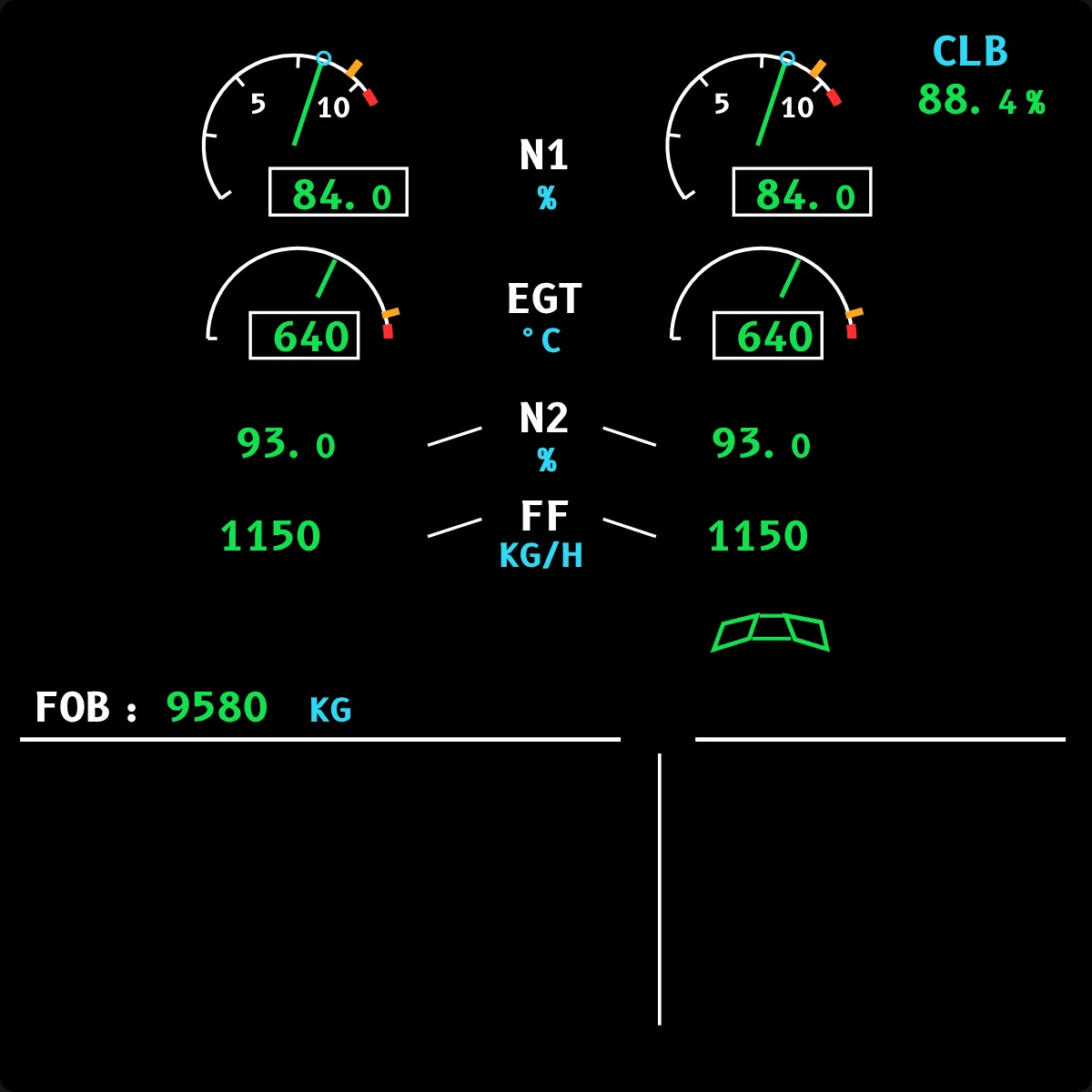
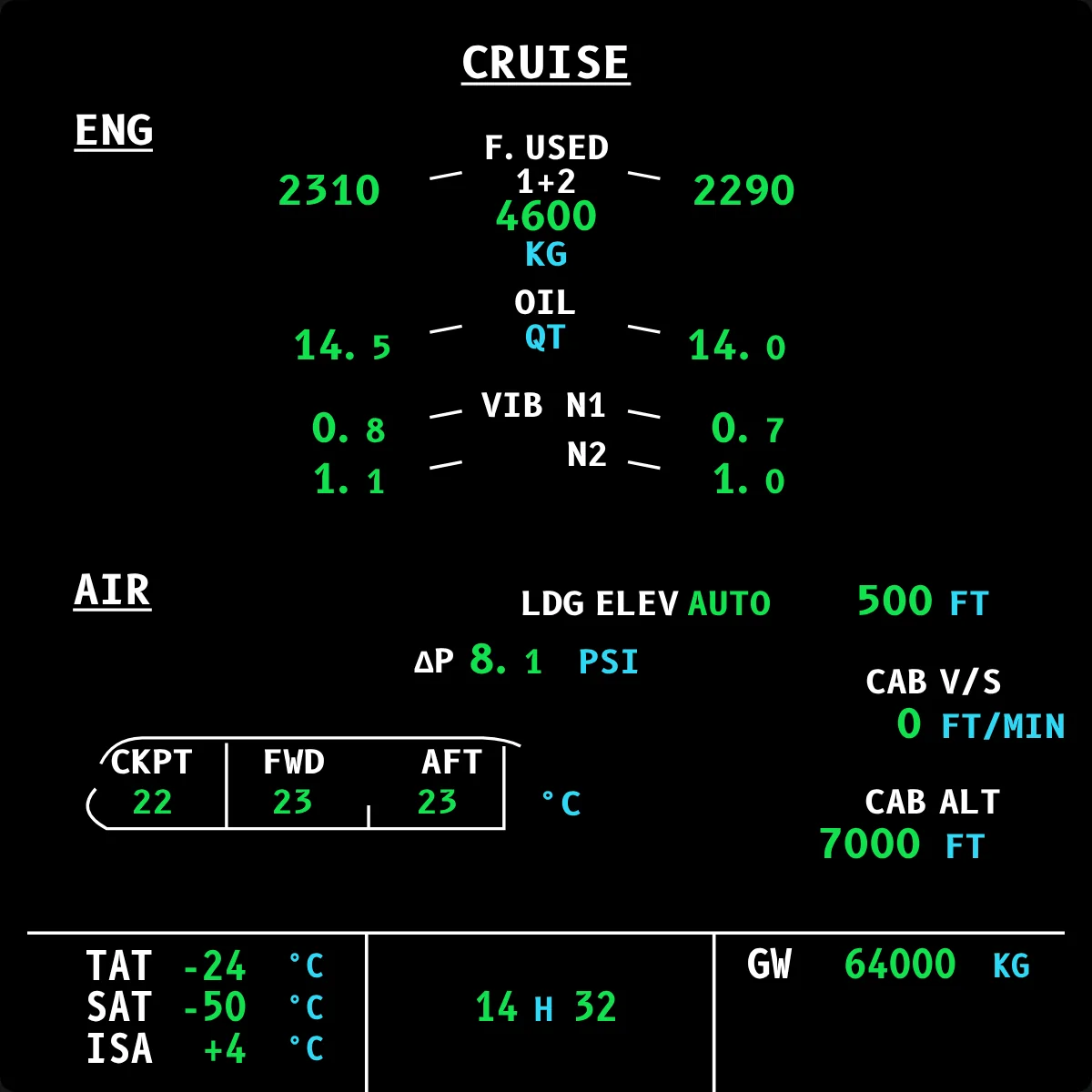
In the cruise at FL350, nothing failed: the E/WD above, the SD on its CRUISE page below. Press the button to fail SDAC 1, then read both screens.
The alert Fail SDAC 1
FWS SDAC 1 FAULT comes up in amber with nothing under it: no blue line. The SD stays on the CRUISE page.
STATUS, when the crew calls it, lists SDAC 1 in amber under INOP SYS. The FCOM prints a note beside it about amber symbols, which the ECAM Trainer leaves out of its picture.
Sources FCOM PRO-ABN-FWS FWS SDAC 1(2) FAULT / FCOM PRO-ABN-FWS FWS / FCOM DSC-31-20 STATUS PAGE
What does the STATUS note about amber mean?
With SDAC 1 failed, the FCOM's STATUS for this caution carries a note: although the ECAM may display some symbols or parameters in amber, this does not always signify that additional systems are failed.
On the ECAM, a caution's message is amber on the E/WD, and inoperative systems are amber on STATUS. The note tells the crew that, after this caution, a symbol or parameter in amber does not always mean that further systems have failed.
The FCTM's ECAM handling has the PM check the overhead panel and/or the associated SD to confirm a failure before taking any action, keeping in mind that their sensors may differ from the ones that trigger it.
Sources FCOM PRO-ABN-FWS FWS / FCOM DSC-31-10 WARNING/CAUTION CLASSIFICATION / FCOM DSC-31-20 STATUS PAGE / FCTM AOP-30-30
What does one SDAC's loss take away, and what stays?
For one SDAC, the FCOM gives the crew nothing to do, and STATUS lists only SDAC 1, with no limitation and no landing category line. The two SDACs are identical.
The losses the FCOM lists belong to a different caution, FWS SDAC 1 + 2 FAULT: some amber cautions and the aircraft status on the STATUS page. With one SDAC, the FCOM prints none of these.
Sources FCOM PRO-ABN-FWS FWS SDAC 1(2) FAULT / FCOM PRO-ABN-FWS FWS / FCOM DSC-31-05-30 SYSTEM DATA ACQUISITION CONCENTRATOR (SDAC) / FCOM PRO-ABN-FWS FWS SDAC 1 + 2 FAULT
One SDAC, or one FWC
A healthy aircraft again. This time fail one of the two warning computers that receive the SDACs' signals, and compare it with SDAC 1 alone.
The alert Lose FWC 1 instead
The same look: FWS FWC 1 FAULT in amber, the title alone. The difference is in STATUS: CAT 3 SINGLE ONLY in green, with CAT 3 DUAL and FWC 1 under INOP SYS.
The FWCs generate the alert messages, memos, aural alerts and synthetic voice messages, taking their data for red warnings directly from the sensors and systems, and for amber cautions through the SDACs.
Sources FCOM PRO-ABN-FWS FWS FWC 1(2) FAULT / FCOM PRO-ABN-FWS FWS / FCOM DSC-31-05-30 FLIGHT WARNING COMPUTER (FWC)
What if the second SDAC fails too?
FWS SDAC 1 + 2 FAULT triggers when both SDACs are failed. Its first line, in blue, is MONITOR OVERHEAD PANEL.
Its remarks say what goes and what stays: some amber cautions are lost, and so is the aircraft status on the ECAM STATUS page. All red warnings, the engine and fuel parameters and the slat and flap positions are available on the upper ECAM DU, and a last blue line gives the ENG, FUEL, F/CTL and WHEEL (L/G POS IND) system pages as available.
Its STATUS lists SDAC 1 + 2 under INOP SYS. In the FCOM's architecture, the FWCs take their data for red warnings directly from the sensors and systems, and for amber cautions through the SDACs.
Sources FCOM PRO-ABN-FWS FWS SDAC 1 + 2 FAULT / FCOM PRO-ABN-FWS FWS / FCOM DSC-31-05-30 FLIGHT WARNING COMPUTER (FWC)
One SDAC lost, then two
What is lost afterwards?
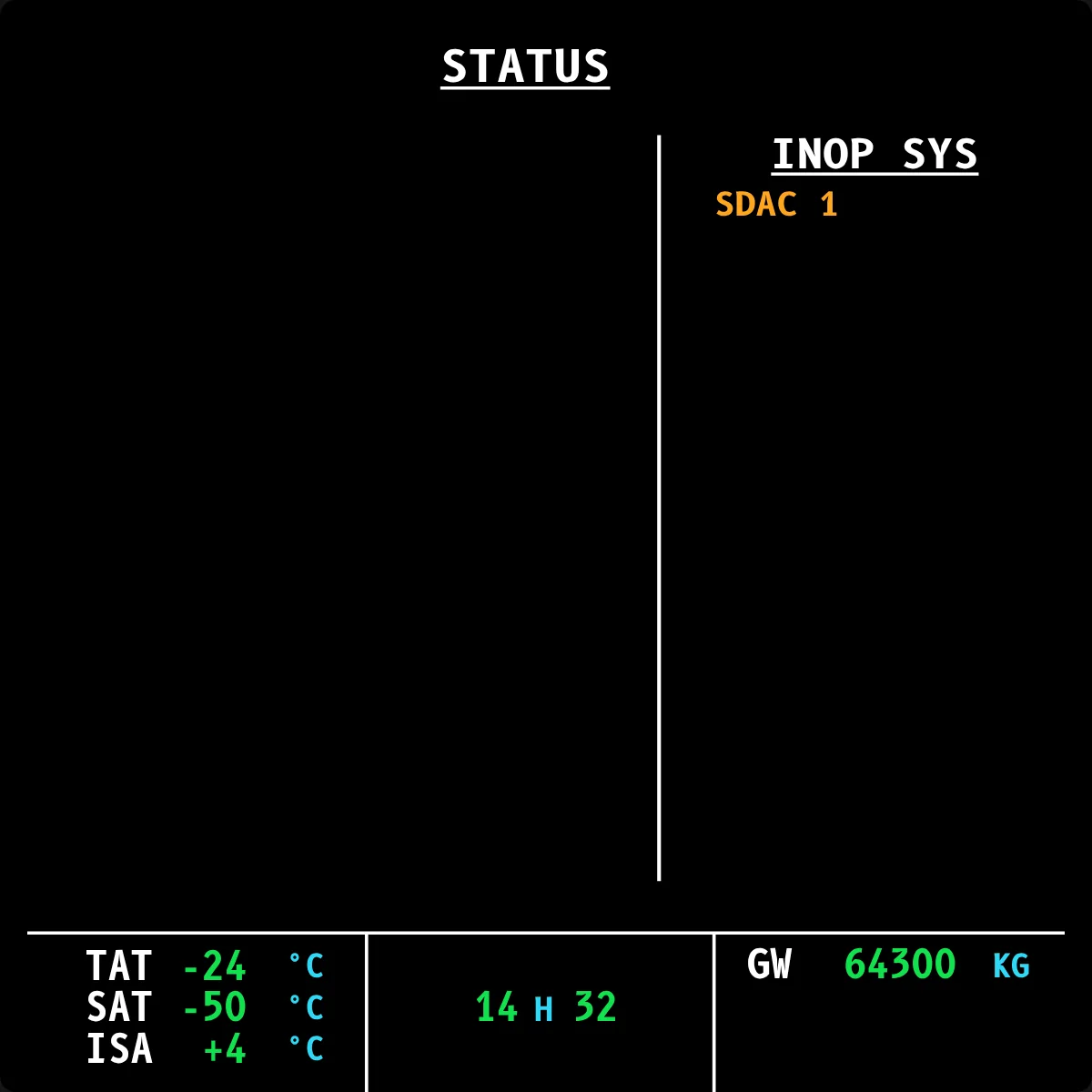
STATUS is the aircraft's operational summary. After this caution it lists only SDAC 1, in amber, under INOP SYS.
The FCOM prints one STATUS for this caution, for all aircraft, with a note beside it: although the ECAM may display some symbols or parameters in amber, this does not always mean that further systems have failed. The ECAM Trainer draws the INOP SYS line and leaves the note out.
Sources FCOM DSC-31-20 STATUS PAGE / FCOM PRO-ABN-FWS FWS / FCOM PRO-ABN-FWS FWS SDAC 1(2) FAULT
A319ceo, A320ceo, A320neo, A321neo: what differs?
| A319ceo, A320ceo | A320neo, A321neo | |
|---|---|---|
| The caution and STATUS | The same in every version | The same in every version |
| The two SDACs and what they feed | The same on all four types | The same on all four types |
Sources FCOM PRO-ABN-FWS FWS SDAC 1(2) FAULT / FCOM PRO-ABN-FWS FWS / FCOM DSC-31-05-30 SYSTEM DATA ACQUISITION CONCENTRATOR (SDAC) / FCOM DSC-31-05-30 FLIGHT WARNING COMPUTER (FWC)

Work FWS SDAC 1 FAULT as a crew
Read and do each line against the FCOM, with the E/WD, the SD page and the overhead following your hands, the PF and PM calls, and a debrief that says what you missed.
Work this failure in the ECAM TrainerGo further
Written in our own words from the FCOM and the FCTM; each part names the units it rests on. The E/WD, the STATUS and the live aircraft are the platform's own ECAM and systems model, the same the ECAM Trainer and the flight deck run. This page explains the procedure; it is not the procedure. Aircraft differ by type, engine and options: your aircraft's FCOM, your QRH and your operator's procedures always come first. How we write and check these pages.
Every ECAM procedure, line by line, against the FCOM.
The ECAM Trainer works 108 scenarios with the E/WD, the SD page and the overhead following your hands. Start free today, or open everything with A320 Knowledge+.
For study and revision only. Always follow your operator's approved documentation and procedures. A320 Knowledge is independent and not affiliated with Airbus.