
NAV ADR 1+2 FAULT
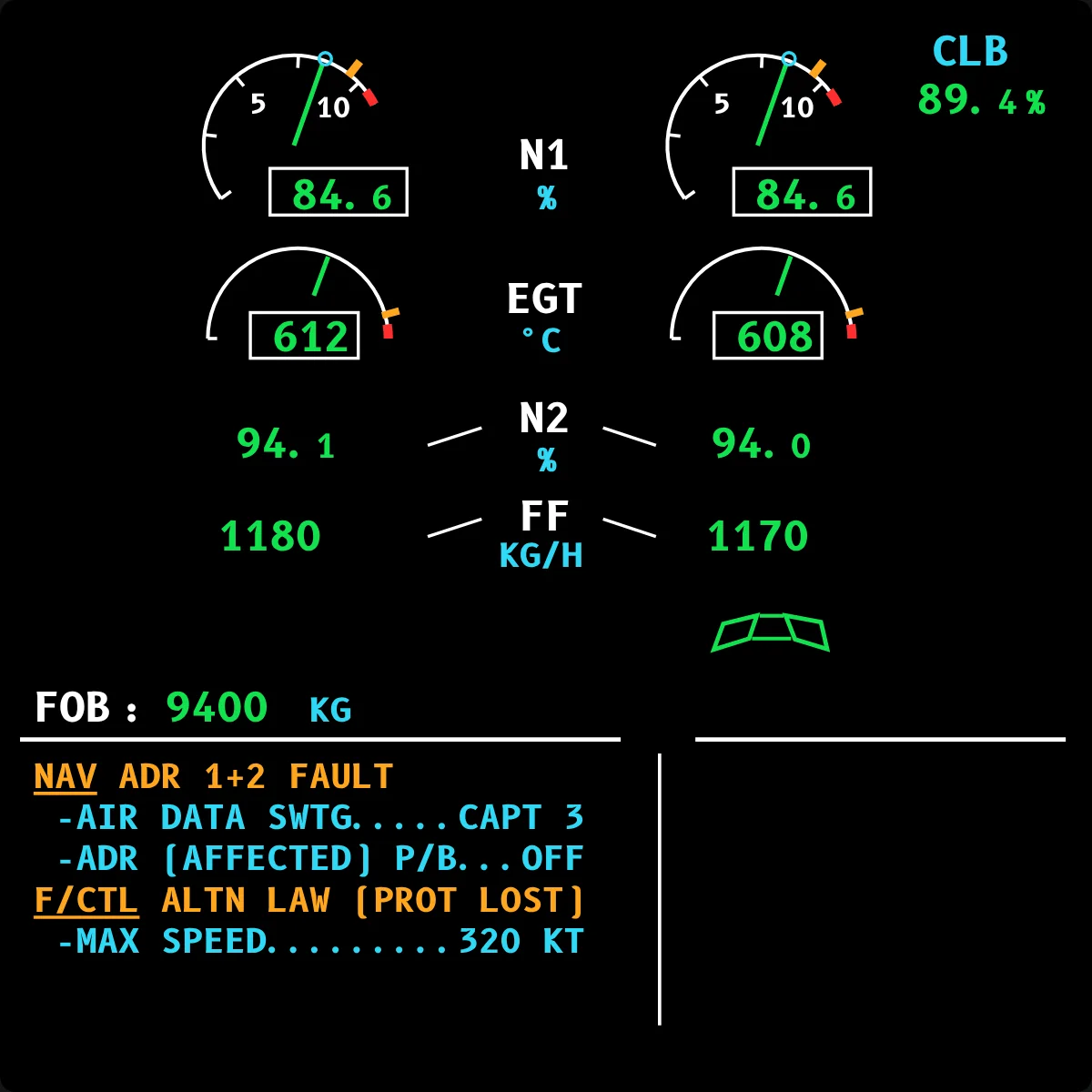
An amber caution for the loss of two of the three air data references. Here is where ADR 3 goes, which law follows and why the speed is limited, what goes with the autopilots, and how STATUS plans the landing, with the live aircraft at the moment the caution comes on.
Written and checked by current A320 pilotschecked against the FCOM on Our editorial policy
What NAV ADR 1+2 FAULT means
NAV ADR 1+2 FAULT is an amber caution: the air data references of ADIRU 1 and ADIRU 2 have both failed. In NORM those two units feed the captain's and the first officer's displays, and ADR 3 can stand in for one side at a time.
The ECAM has the crew set ADR 3 to the captain's side and switch the affected ADRs off, then shows the associated procedure F/CTL ALTN LAW (PROT LOST) with MAX SPEED 320 KT, as the high speed protections are lost. The autopilots and autothrust go too. STATUS plans a flap 3 landing at an increased approach speed, in direct law once the gear is down.
Sources FCOM PRO-ABN-NAV NAV ADR 1+2(1+3)(2+3) FAULT / FCOM DSC-34-NAV-10-20 PEDESTAL / FCOM PRO-ABN-NAV NAV / FCOM PRO-ABN-NAV / FCTM PR-AEP-NAV ADR/IRS FAULT
At a glance
- Level
- Amber caution, level 2: single chime and MASTER CAUT steady amber
- Sets it off
- Two ADRs failed: here ADR 1 and ADR 2
- Lights
- FAULT in amber in the ADR 1 and ADR 2 pushbuttons on the overhead ADIRS panel
- Law
- F/CTL ALTN LAW (PROT LOST), the associated procedure, with MAX SPEED 320 KT
- STATUS
- Flap 3 and an increased approach speed for landing, direct law once the gear is down; F/CTL PROT, AP 1+2 and A/THR inoperative
Sources FCOM DSC-31-10 WARNING/CAUTION CLASSIFICATION / FCOM DSC-31-30 ATTENTION GETTERS / FCOM PRO-ABN-NAV NAV ADR 1+2(1+3)(2+3) FAULT / FCOM DSC-34-NAV-10-20 OVERHEAD PANEL / FCOM PRO-ABN-NAV NAV / FCOM PRO-ABN-NAV / FCOM PRO-ABN-NAV INOP SYS
What do the ADRs supply, and where does ADR 3 go?
The ADIRS has three identical ADIRUs. Each is divided in two parts, either of which can work on its own if the other fails: the ADR (air data reference) supplies barometric altitude, airspeed, Mach, angle of attack, temperature and overspeed warnings; the IR (inertial reference) supplies attitude, flight path vector, track, heading, accelerations, angular rates, ground speed and position.
The ADIRS feeds the PFDs and NDs and many other systems: the FMGCs, the FADECs, the ELACs, SECs and FACs, the FWCs, the SFCCs, the transponders, the GPWS, the CFDIU and the cabin pressure controllers.
On the pedestal's SWITCHING panel, the ATT HDG and AIR DATA selectors at NORM have ADIRU 1 supply PFD 1, ND 1, the DDRMI where fitted and VOR/DME, and ADIRU 2 supply PFD 2 and ND 2. At CAPT 3, ADR 3 or IR 3 replaces ADR 1 or IR 1; at F/O 3, it replaces ADR 2 or IR 2. The switching is there so that ADR 3 or IR 3 can stand in for ADIRU 1 or 2 on the displays.
One selector, one position: ADR 3 stands in for ADR 1 or for ADR 2, not both. The procedure sets ADR 3, if available, to the captain's side.
Sources FCOM DSC-34-NAV-10-10 GENERAL / FCOM DSC-34-NAV-10-20 PEDESTAL / FCOM PRO-ABN-NAV
Three ADIRUs, two ADRs gone
What does the crew see and hear?
A level 2 caution: a single chime, the MASTER CAUT light steady amber and the caution in amber on the E/WD.
On the overhead ADIRS panel, FAULT comes on amber in the ADR 1 and ADR 2 pushbuttons, the light the FCOM associates with the ADR fault alert.
The procedure's comment adds lights the crew may see: on aircraft with the EGPWS, T2CAS or T3CAS, the GPWS TERR FAULT and GPWS SYS FAULT lights come on, as the enhanced or predictive functions are inhibited, and the crew should switch both pushbuttons off.
Sources FCOM DSC-31-10 WARNING/CAUTION CLASSIFICATION / FCOM DSC-31-30 ATTENTION GETTERS / FCOM DSC-34-NAV-10-20 OVERHEAD PANEL / FCOM PRO-ABN-NAV NAV / FCOM PRO-ABN-NAV
The moment the caution comes on
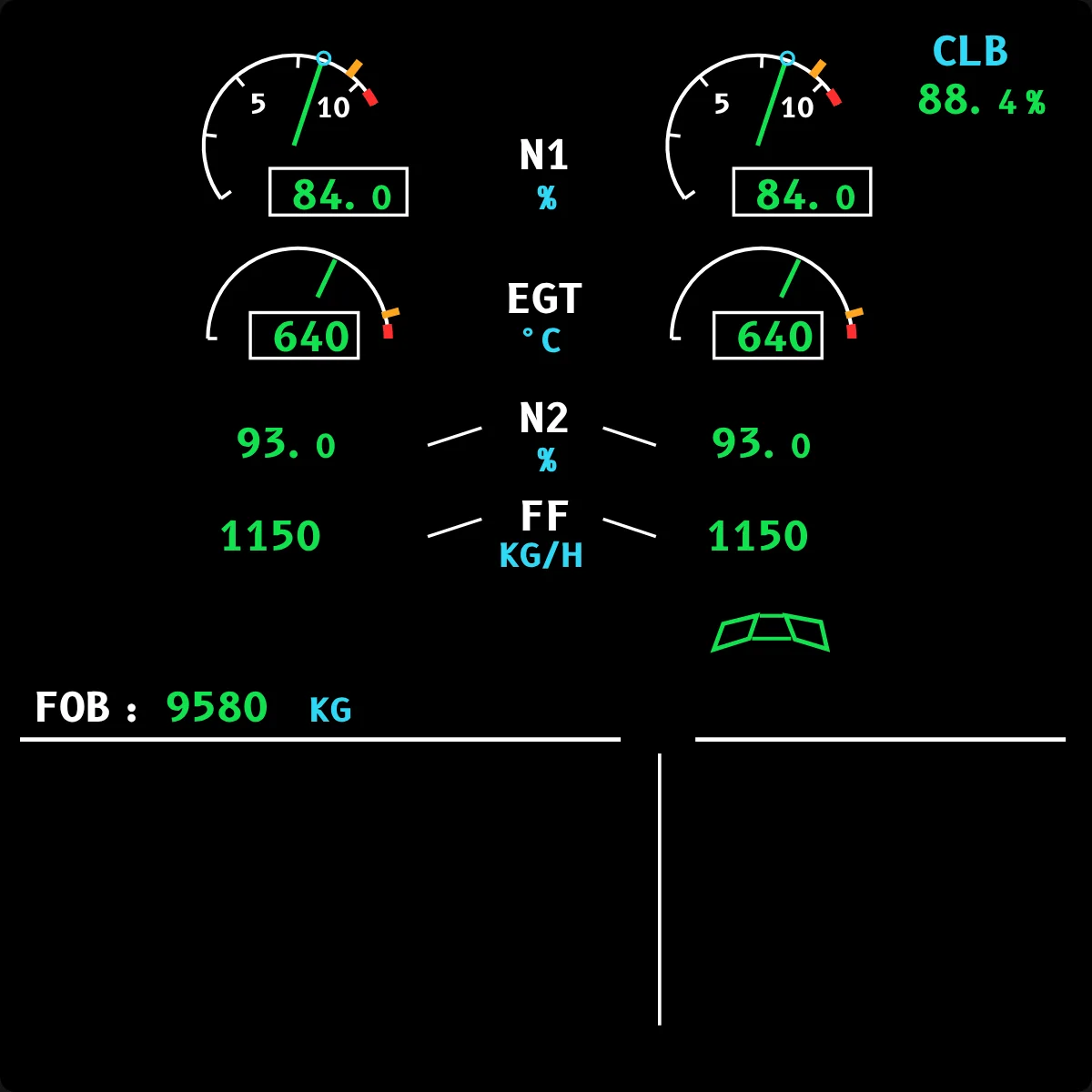
A healthy aircraft in the cruise, all three ADIRUs in NAV, nothing lit on the ADIRS panel. Press the button to fail ADR 1 and ADR 2, then look at the E/WD and the panel.

The alert Fail ADR 1 and ADR 2
The E/WD shows NAV ADR 1+2 FAULT in amber with AIR DATA SWTG to CAPT 3 and ADR (AFFECTED) P/B OFF in blue, then the associated procedure F/CTL ALTN LAW (PROT LOST) in amber and MAX SPEED 320 KT in blue. FAULT is lit in ADR 1 and ADR 2.
No PFD is drawn here, and the drawing has no flight control law of its own. On the aircraft the normal laws are lost and ADR 3 feeds the captain's side once AIR DATA is at CAPT 3. Working the lines is what the ECAM Trainer does with you.
Sources FCOM PRO-ABN-NAV / FCOM DSC-34-NAV-10-20 OVERHEAD PANEL / FCOM DSC-34-NAV-10-20 PEDESTAL
Which law follows, and why 320 kt?
The FCOM's law reconfiguration table gives two ADRs or two IRs failed, the second self detected, as pitch alternate law with reduced protection, roll direct and yaw alternate. All four tables give the same row.
The procedure's own comment: the normal laws are lost, pitch alternate law keeps the neutral static stability, and all protections except the manoeuvre protections are lost. MAX SPEED 320 KT follows, and the procedure gives the reason: the high speed protections are lost.
In alternate law the pitch flight mode is a load factor demand law with less built-in protection, roll follows the direct law, and in yaw only the yaw damping function is available, its authority limited to 5° of rudder either way. Alternate law without reduced protection is that same law without the low speed and high speed stability: of its protections, only the load factor limitation remains.
When the landing gear goes down, control reverts to direct law in pitch and roll: elevator deflection follows stick deflection, there is no automatic trim, and USE MAN PITCH TRIM shows in amber on the PFD.
In a reconfiguration law, the FCTM has the crew consider a lower altitude at high altitude, to increase the margin to buffet, and manoeuvring with care, with small inputs, at high speed. Within the normal flight envelope, alternate law handles in pitch as normal law does.
Sources FCOM DSC-27-20-20 FLIGHT CONTROLS LAW RECONFIGURATION / FCOM PRO-ABN-NAV NAV / FCOM PRO-ABN-NAV / FCOM DSC-27-20-20 ALTERNATE LAW / FCOM DSC-27-20-20 ALTERNATE LAW WITHOUT REDUCED PROTECTION / FCOM DSC-27-20-20 DIRECT LAW / FCTM AOP-10-30-20 FLYING IN RECONFIGURATION LAWS
Two ADRs, one ADR, or two IRs
A healthy aircraft again. Press one failure at a time and compare its E/WD with the two ADRs above.
The alert Lose ADR 1 only
One FAULT light and two lines, AIR DATA SWTG to CAPT 3 and ADR 1 P/B OFF, with no associated procedure. The law reconfiguration table has no row for one ADR: its air data rows start with two ADRs failed.
Sources FCOM PRO-ABN-NAV NAV / FCOM DSC-34-NAV-10-20 OVERHEAD PANEL / FCOM DSC-27-20-20 FLIGHT CONTROLS LAW RECONFIGURATION
The alert Lose IR 1 and IR 2 instead
Two IR FAULT lights, ATT HDG SWTG to CAPT 3, and the same associated procedure, F/CTL ALTN LAW (PROT LOST) with MAX SPEED 320 KT. With the second failure self detected, the table gives two IRs the same row as two ADRs; its procedure leaves the first officer's PFD without attitude.
Sources FCOM PRO-ABN-NAV NAV / FCOM DSC-27-20-20 FLIGHT CONTROLS LAW RECONFIGURATION
What else goes with two ADRs?
The FCTM: dual NAV ADR or NAV IRS failures cause the loss of the AP and A/THR, and the flight controls revert to alternate law.
The flaps change their behaviour. The procedure notes that since the ADR 1 and 2 parameters are lost, the SFCCs set CONF 1+F instead of CONF 1, so the crew checks the speed is below the VFE of CONF 1+F, 215 kt, before selecting flaps 1.
STATUS lists the inoperative systems: the flight control protections, ADR 1 and 2, both autopilots, the autothrust and CAT 2, the GPWS after an ADR 1 fault, and GLS AUTOLAND, STEEP APPR and ROW/ROP where fitted. The versions differ on the transponders and on GA SOFT, below.
Sources FCTM PR-AEP-NAV ADR/IRS FAULT / FCOM PRO-ABN-NAV NAV / FCOM PRO-ABN-NAV / FCOM PRO-ABN-NAV INOP SYS
Two ADRs lost: what goes, what stays
How does STATUS plan the landing?
STATUS opens with MAX SPEED 320 KT in blue, and in some versions GA THR: TOGA ONLY. The approach procedure sets flap 3 for landing, GPWS LDG FLAP 3 ON with CONF 3, an increased approach speed and the landing distance procedure.
The information lines in green are ALTN LAW: PROT LOST and WHEN L/G DN: DIRECT LAW, with FLS limited where fitted. The FCOM gives no reason for the flap setting or the speed increment.
Sources FCOM DSC-31-20 STATUS PAGE / FCOM PRO-ABN-NAV NAV / FCOM PRO-ABN-NAV INOP SYS
What is lost afterwards?
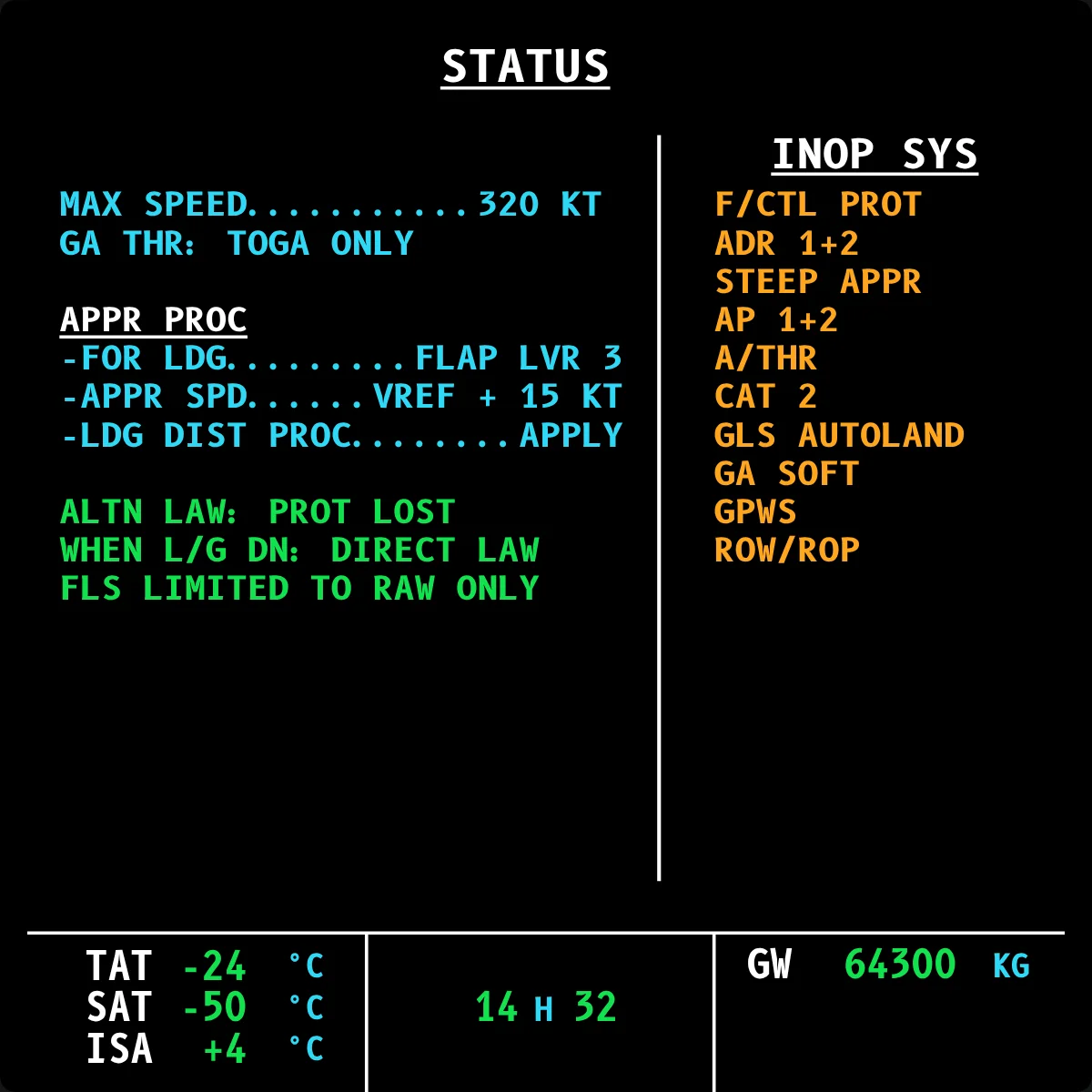
STATUS is the aircraft's operational summary: limitations in blue, the approach procedure, information in green and the inoperative systems in amber.
The FCOM prints three versions of this STATUS. They differ in the flap line, USE FLAP 3 or FLAP LVR 3, the approach speed, VREF + 10 KT or VREF + 15 KT, the GA THR: TOGA ONLY line and GA SOFT, and the FLS line, F-APP + RAW or RAW ONLY. The picture is one of them, with FLAP LVR 3 and VREF + 15 KT.
One version is given here in words, not drawn. It opens with MAX SPEED 320 KT and no GA THR line. Its approach procedure is FOR LDG USE FLAP 3, GPWS LDG FLAP 3 ON with CONF 3, APPR SPD VREF + 10 KT and LDG DIST PROC APPLY, and its information lines are ALTN LAW: PROT LOST, WHEN L/G DN: DIRECT LAW and, where fitted, FLS LIMITED TO F-APP + RAW. Its lines for an ADR 1+3 or 2+3 fault are left aside here.
Its INOP SYS lists F/CTL PROT, ADR 1 + 2 or (2 + 3) or (1 + 3), AP 1 + 2, A/THR and CAT 2; GPWS, footnoted "if ADR 1 fault"; RUD TRV LIM 1(2) for an ADR 1 + 3 or 2 + 3 fault; GLS AUTOLAND, STEEP APPR and ROW/ROP where fitted. It lists ATC/XPDR 1 with footnote (1), which reads ATC/XPDR 1 in the case of ADR 1 failure, and ATC/XPDR 2 with footnote (2), which reads ATC/XPDR 2 in the case of ADR 2 failure. It does not say how they read when ADR 1 and ADR 2 fail together.
The other two versions list ATC/XPDR 1 only if ADR 1+3 fault and ATC/XPDR 2 only if ADR 2+3 fault, and the procedure has no transponder line for ADR 1+2. GPWS LDG FLAP 3 ON shows only with CONF 3, so the picture, drawn in the cruise, does not have it.
Which version applies depends on your aircraft: check your own FCOM.
Sources FCOM DSC-31-20 STATUS PAGE / FCOM PRO-ABN-NAV NAV / FCOM PRO-ABN-NAV INOP SYS / FCOM PRO-ABN-NAV
A319ceo, A320ceo, A320neo, A321neo: what differs?
| A319ceo, A320ceo | A320neo, A321neo | |
|---|---|---|
| The caution and its procedure | The same in every version | The same in every version |
| Law reconfiguration, two ADRs failed, the second self detected | Pitch alternate law with reduced protection, roll direct, yaw alternate | Pitch alternate law with reduced protection, roll direct, yaw alternate |
| STATUS: approach speed and go-around | Not given by type: VREF + 10 KT in one version, VREF + 15 KT with GA THR: TOGA ONLY and GA SOFT inoperative in the others | Not given by type: VREF + 10 KT in one version, VREF + 15 KT with GA THR: TOGA ONLY and GA SOFT inoperative in the others |
Sources FCOM PRO-ABN-NAV NAV ADR 1+2(1+3)(2+3) FAULT / FCOM PRO-ABN-NAV NAV / FCOM PRO-ABN-NAV / FCOM DSC-27-20-20 FLIGHT CONTROLS LAW RECONFIGURATION / FCOM PRO-ABN-NAV INOP SYS

Work NAV ADR 1+2 FAULT as a crew
Read and do each line against the FCOM, with the E/WD, the SD page and the overhead following your hands, the PF and PM calls, and a debrief that says what you missed.
Work this failure in the ECAM TrainerGo further
Written in our own words from the FCOM and the FCTM; each part names the units it rests on. The E/WD, the STATUS and the live aircraft are the platform's own ECAM and systems model, the same the ECAM Trainer and the flight deck run. This page explains the procedure; it is not the procedure. Aircraft differ by type, engine and options: your aircraft's FCOM, your QRH and your operator's procedures always come first. How we write and check these pages.
Every ECAM procedure, line by line, against the FCOM.
The ECAM Trainer works 108 scenarios with the E/WD, the SD page and the overhead following your hands. Start free today, or open everything with A320 Knowledge+.
For study and revision only. Always follow your operator's approved documentation and procedures. A320 Knowledge is independent and not affiliated with Airbus.
Related
- NAV ADR 1+2+3 FAULTA red warning for the loss of all three air data references: the speed, the barometric altitude and the angle of attack the ADRs supply are gone.
- NAV ADR 1 FAULTAn amber caution for the air data half of the captain's ADIRU.
- NAV ALTI DISCREPANCYAn amber caution for two PFDs that no longer agree on the altitude.
- NAV IR 1+2 FAULTAn amber caution for the loss of two of the three inertial references.
- A320 navigation and surveillanceThe system guide, with the live aircraft
- Every ECAM procedureThe alerts the ECAM Trainer works, grouped by system