
AUTO FLT FAC 1+2 FAULT
An amber caution for the loss of both flight augmentation computers: the rudder travel limit, the rudder trim, the yaw damper and the characteristic speeds on the PFD all go. Here is what the crew sees, why the rudder is used with care, which law follows and how STATUS plans the landing, with the live aircraft at the moment the caution comes on.
Written and checked by current A320 pilotschecked against the FCOM on Our editorial policy
What AUTO FLT FAC 1+2 FAULT means
AUTO FLT FAC 1+2 FAULT is an amber caution: both flight augmentation computers have failed. With both inoperative, the rudder travel limit system, rudder trim control, yaw damper and PFD characteristic speeds are lost.
The first line is a limitation: the rudder travel limiter may not be where the speed needs it, so the rudder is used with care above 140 kt, or 160 kt in another version; full rudder travel authority comes back at slats extension. A reset of each FAC follows, then both OFF if unsuccessful, with F/CTL ALTN LAW (PROT LOST) and MAX SPEED 320 KT, as the high speed protections are lost. STATUS plans a flap 3 landing at an increased speed, without autopilot or autothrust.
Sources FCOM PRO-ABN-AUTO_FLT AUTO FLT FAC 1 + 2 FAULT / FCOM PRO-ABN-AUTO_FLT AUTO FLT
At a glance
- Level
- Amber caution, level 2: single chime and MASTER CAUT steady amber
- Sets it off
- Both FAC computers failed
- Lost
- The rudder travel limit system, rudder trim control, yaw damper and PFD characteristic speeds
- Limits
- RUD WITH CARE above 140 kt or 160 kt, by procedure version; MAX SPEED 320 KT
- Law
- F/CTL ALTN LAW (PROT LOST), the associated procedure
- STATUS
- Flap 3 for landing, an increased approach speed and the landing distance procedure; AP 1+2, A/THR and CAT 2 inoperative
Sources FCOM DSC-31-10 WARNING/CAUTION CLASSIFICATION / FCOM DSC-31-30 ATTENTION GETTERS / FCOM PRO-ABN-AUTO_FLT AUTO FLT FAC 1 + 2 FAULT / FCOM PRO-ABN-AUTO_FLT AUTO FLT
What do the two FACs do, and what goes with both?
The FACs control the rudder, rudder trim and yaw damper inputs and compute data for the flight envelope and speed functions. Their main functions are the yaw function (yaw damping and turn coordination, rudder trim, rudder travel limitation), the flight envelope function (the PFD speed scale and alpha floor protection), and, where fitted, the low energy aural alert and windshear detection.
With both FACs valid, FAC 1 controls the yaw damper, turn coordination, rudder trim and rudder travel limit, with FAC 2 in standby, and FAC 2 takes over each channel FAC 1 loses. With both operative, FAC 1 supplies the PFD 1 speeds and FAC 2 the PFD 2 speeds. With one FAC OFF after an unsuccessful reset, the remaining FAC performs all the functions; this caution is the case where neither is left.
The FCOM's comment under FAC 1 + 2 OFF gives what goes: the rudder travel limit system, rudder trim control, yaw damper and PFD characteristic speeds. STATUS adds the protections, both autopilots, the autothrust and CAT 2, and reactive windshear detection where the predictive system is fitted, or windshear detection on other aircraft.
The pedals still move the rudder. Rudder control is also mechanical, through conventional rudder pedals, and three hydraulic servojacks drive the surface.
Sources FCOM DSC-22_10-10 FLIGHT AUGMENTATION COMPUTER (FAC) / FCOM DSC-22_40-10 GENERAL / FCOM DSC-22_40-30 PFD SPEED SCALE MANAGEMENT / FCOM PRO-ABN-AUTO_FLT AUTO FLT / FCOM DSC-27-10-20
Both FACs lost: what goes, what stays
What does the crew see and hear?
A level 2 caution: a single chime, the MASTER CAUT light steady amber and the caution in amber on the E/WD.
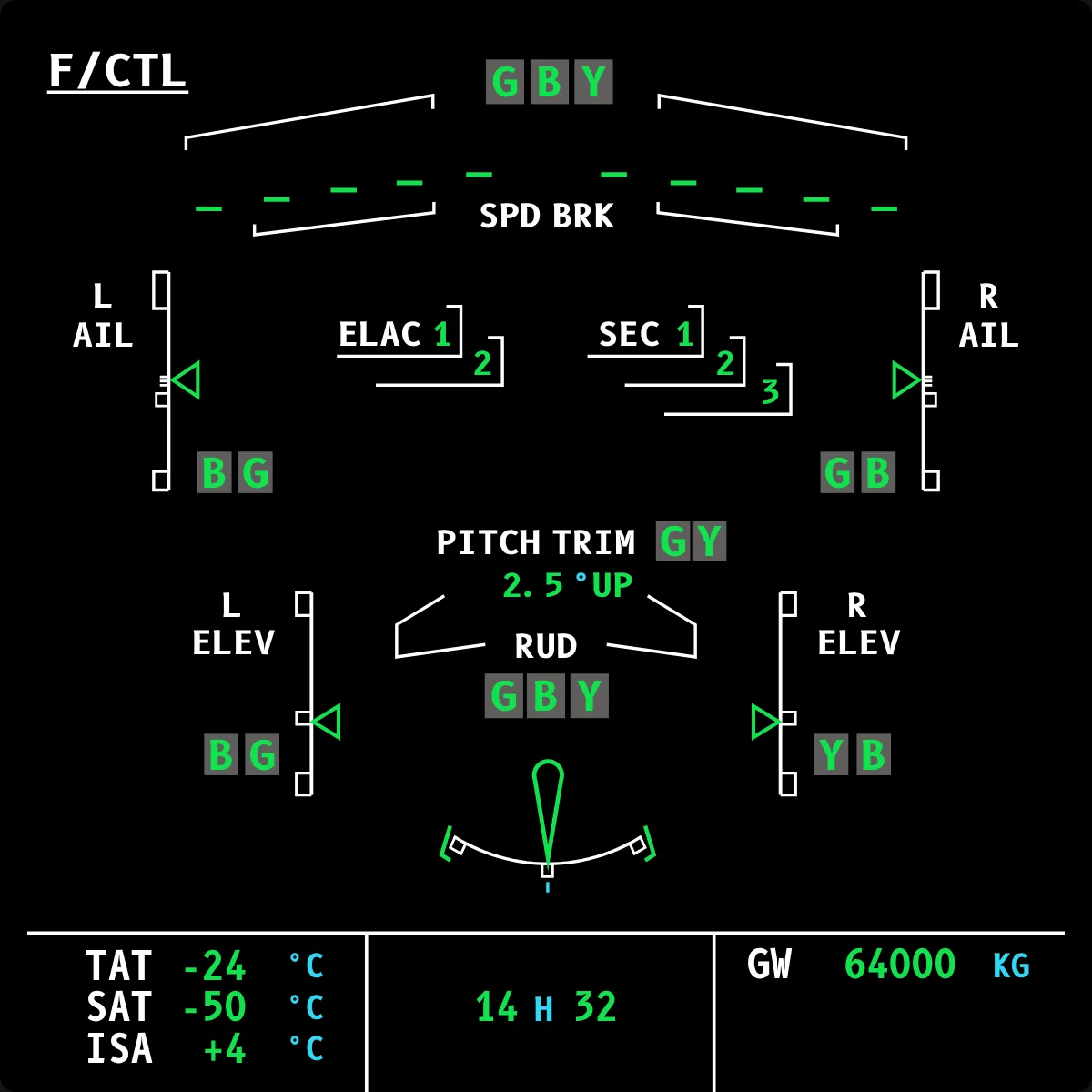
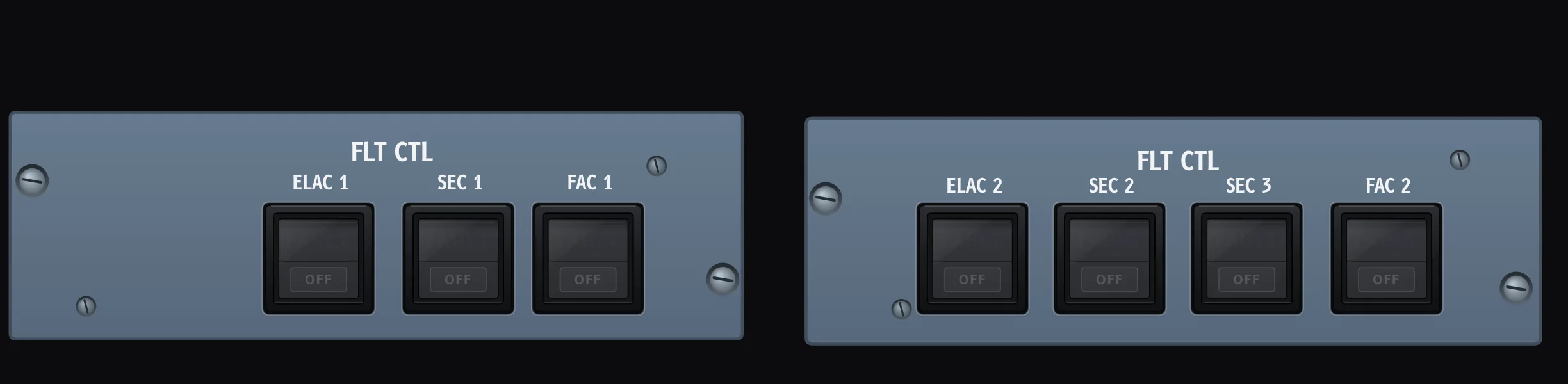
On the overhead FLT CTL panel, FAULT comes on amber in each FAC pushbutton, along with the ECAM caution, when a failure is detected. On the F/CTL page, the rudder travel limiter is normally green and turns amber when travel limiters 1 and 2 are faulty.
The FCOM's F/CTL page description for the A319 and A320 adds two amber TLU messages, displayed when the limiter's indexes are suppressed; the A321neo's does not mention them.
Sources FCOM DSC-31-10 WARNING/CAUTION CLASSIFICATION / FCOM DSC-31-30 ATTENTION GETTERS / FCOM DSC-27-20-30 OVERHEAD PANEL / FCOM DSC-27-20-30 ECAM F/CTL PAGE
The moment the caution comes on
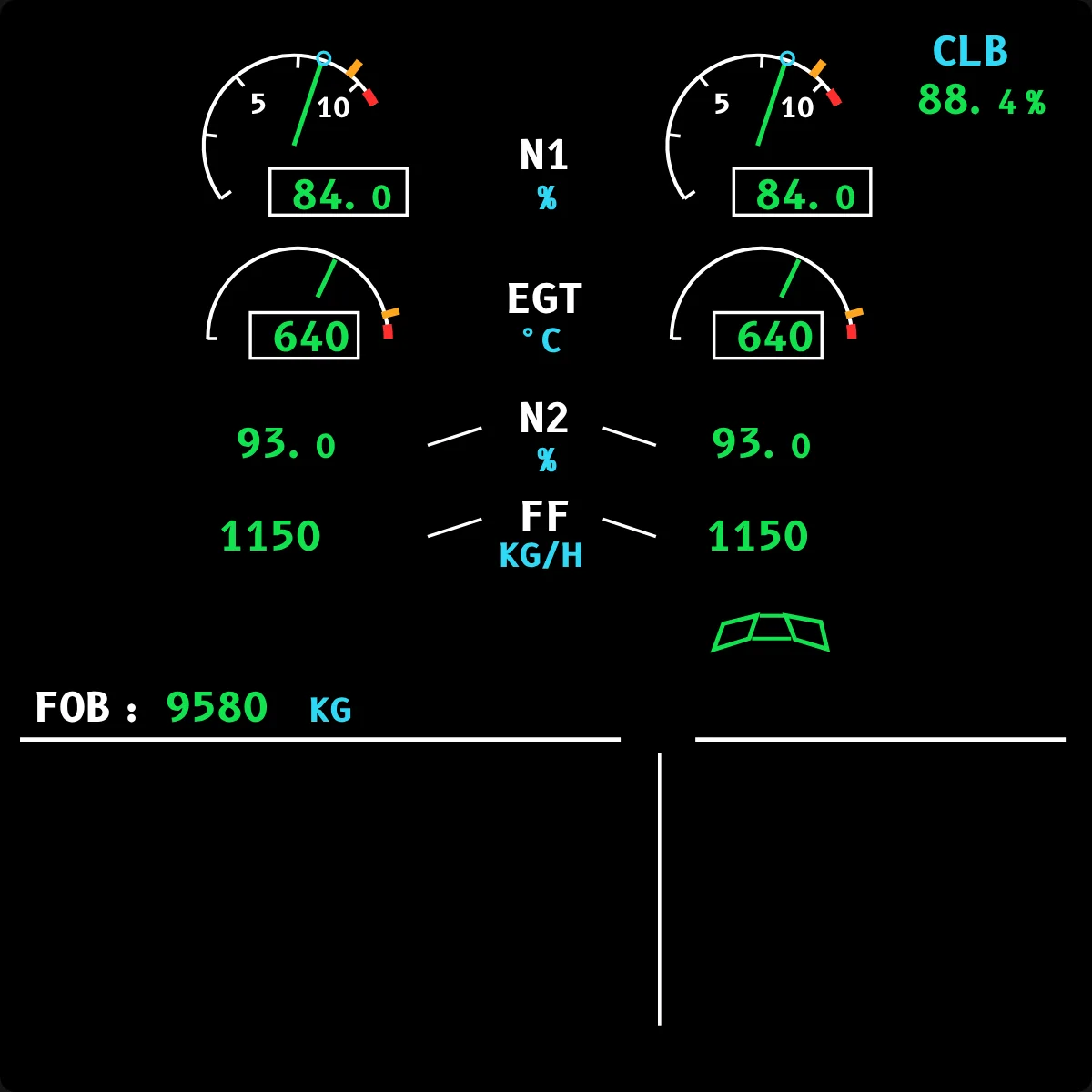
A healthy aircraft in the cruise, every flight control computer on. Press the button to lose both FACs, then look at the E/WD, the F/CTL page and the FLT CTL panel.
The alert Lose both FACs
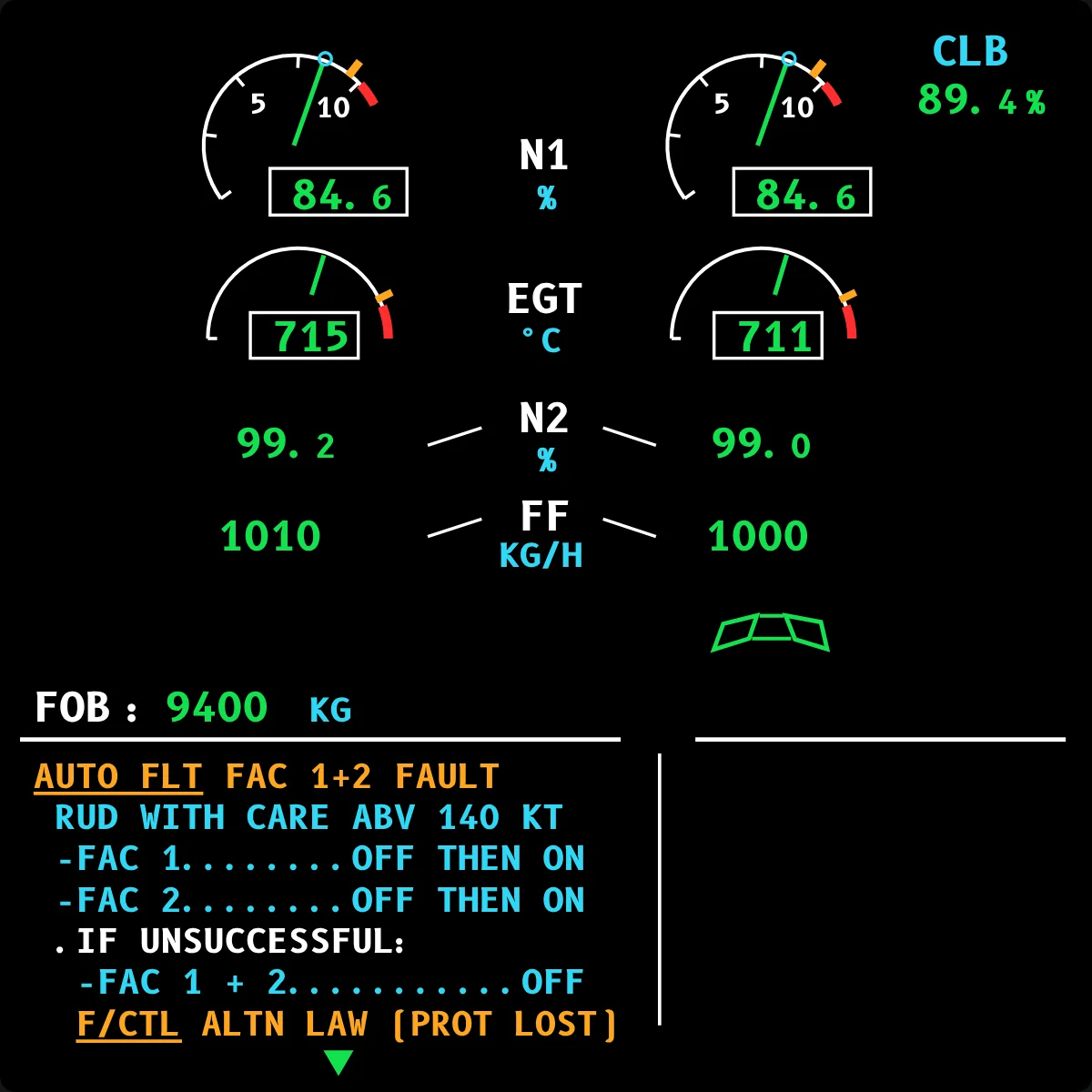
The E/WD shows AUTO FLT FAC 1+2 FAULT in amber with RUD WITH CARE ABV 140 KT in blue, FAC 1 and FAC 2 OFF THEN ON, then under IF UNSUCCESSFUL, FAC 1 + 2 OFF, the associated procedure F/CTL ALTN LAW (PROT LOST) and MAX SPEED 320 KT. FAULT is lit in both FAC pushbuttons.
On the F/CTL page the rudder travel limiter is amber. No PFD is drawn here: on the aircraft its characteristic speeds are lost. Working the lines is what the ECAM Trainer does with you.
Sources FCOM PRO-ABN-AUTO_FLT AUTO FLT / FCOM DSC-27-20-30 OVERHEAD PANEL / FCOM DSC-27-20-30 ECAM F/CTL PAGE
Why use the rudder with care?
The procedure gives the reason. Depending on when the failure occurs, the rudder travel limiter may not be in the correct position for the flight speed, so the rudder is used with care above the speed the line gives, to prevent damage to the aircraft structure. At slats extension, full rudder travel authority is recovered.
The limiter reduces the maximum rudder deflection as the speed increases, to avoid high structural loads. If both FACs lose the rudder travel limitation function, the limit is locked at its value at the time of the second failure; when the slats extend, the limit goes to the low speed setting, the maximum authorised deflection.
The FCOM draws the limitation law per type. On the A320ceo, the maximum deflection is 25° up to 160 kt, down to 3.4° at 380 kt. On the A319, 30° up to 140 kt, down to 3.4° at 380 kt. On the A320neo and A321neo, 30° up to 140 kt, down to 3.25° and 2.9° at 350 kt.
The procedure prints the speed in versions: 140 kt in some versions, for some aircraft, and 160 kt in others.
With both yaw damper systems lost, the FCTM says the crew may use the pedals, as deemed necessary, for turn coordination, to prevent excessive sideslip. It rules out aggressive, full or nearly full opposite pedal inputs: they can lead to loads higher than the limit and to structural damage, which the limiter is not designed to prevent.
Sources FCOM PRO-ABN-AUTO_FLT AUTO FLT / FCOM DSC-27-10-20 / FCOM DSC-22_40-20 RUDDER TRAVEL LIMITATION / FCTM AS-RUD OPERATIONAL RECOMMENDATIONS
One FAC, or both
A healthy aircraft in the cruise. Lose FAC 1 alone and compare the E/WD and the F/CTL page with the caution above.
The alert Lose FAC 1 only
AUTO FLT FAC 1 FAULT: a reset and, if unsuccessful, FAC 1 OFF, with no rudder line and no law line. FAULT is lit in FAC 1 only, and the rudder travel limiter stays green on the F/CTL page.
With FAC 1 OFF after an unsuccessful reset, the remaining FAC performs all the functions, and STATUS gives BOTH PFD ON SAME FAC and CAT 3 SINGLE ONLY.
Sources FCOM PRO-ABN-AUTO_FLT AUTO FLT / FCOM DSC-27-20-30 OVERHEAD PANEL / FCOM DSC-27-20-30 ECAM F/CTL PAGE / FCOM PRO-ABN-AUTO_FLT
Which law follows, and why 320 kt?
The ECAM shows the associated procedure F/CTL ALTN LAW (PROT LOST). The FCOM's comment, in some versions, is that the normal laws are lost and all protections except the manoeuvre protections are lost; others refer to the law reconfiguration chapter. MAX SPEED 320 KT follows, and the procedure gives the reason: the high speed protections are lost.
The law reconfiguration table comes in versions too, and its row for both FACs differs. One version gives pitch alternate law with reduced protection, roll direct and yaw mechanical. Another gives normal law in pitch and roll with yaw mechanical, and a note: ALTN LAW is indicated, with no reversion to direct law at landing gear extension.
STATUS comes in versions here too: some add WHEN L/G DN: DIRECT LAW, with the comment that at landing gear extension control reverts to direct law in pitch and in roll; others have no such line.
In alternate law the pitch flight mode is a load factor demand law with less built-in protection, roll follows the direct law, and the alpha floor protection is inoperative. Alternate law without reduced protection is that same law without the low speed and high speed stability: of its protections, only the load factor limitation remains.
Sources FCOM PRO-ABN-AUTO_FLT AUTO FLT / FCOM DSC-27-20-20 FLIGHT CONTROLS LAW RECONFIGURATION / FCOM DSC-27-20-20 ALTERNATE LAW / FCOM DSC-27-20-20 ALTERNATE LAW WITHOUT REDUCED PROTECTION
What is lost, and how is the landing planned?
STATUS opens with the limits in blue: MAX SPEED 320 KT and RUD WITH CARE, and in some versions GA THR: TOGA ONLY. The approach procedure then sets flap 3 for landing, GPWS LDG FLAP 3 ON once the flaps are in configuration 3, an increased approach speed and the landing distance procedure. ALTN LAW: PROT LOST is in green.
INOP SYS lists the flight control protections, FAC 1 + 2, AP 1 + 2, the A/THR and CAT 2, with GLS AUTOLAND, STEEP APPR and ROW/ROP where fitted; some versions add GA SOFT. The FCOM gives no reason for the flap setting or the speed increment.
The autothrust's own chapter lists one FAC operative among its arming conditions; here none is.
Sources FCOM DSC-31-20 STATUS PAGE / FCOM PRO-ABN-AUTO_FLT AUTO FLT / FCOM DSC-22_30-90 A/THR ARMING CONDITIONS
What STATUS plans for the landing
What is lost afterwards?
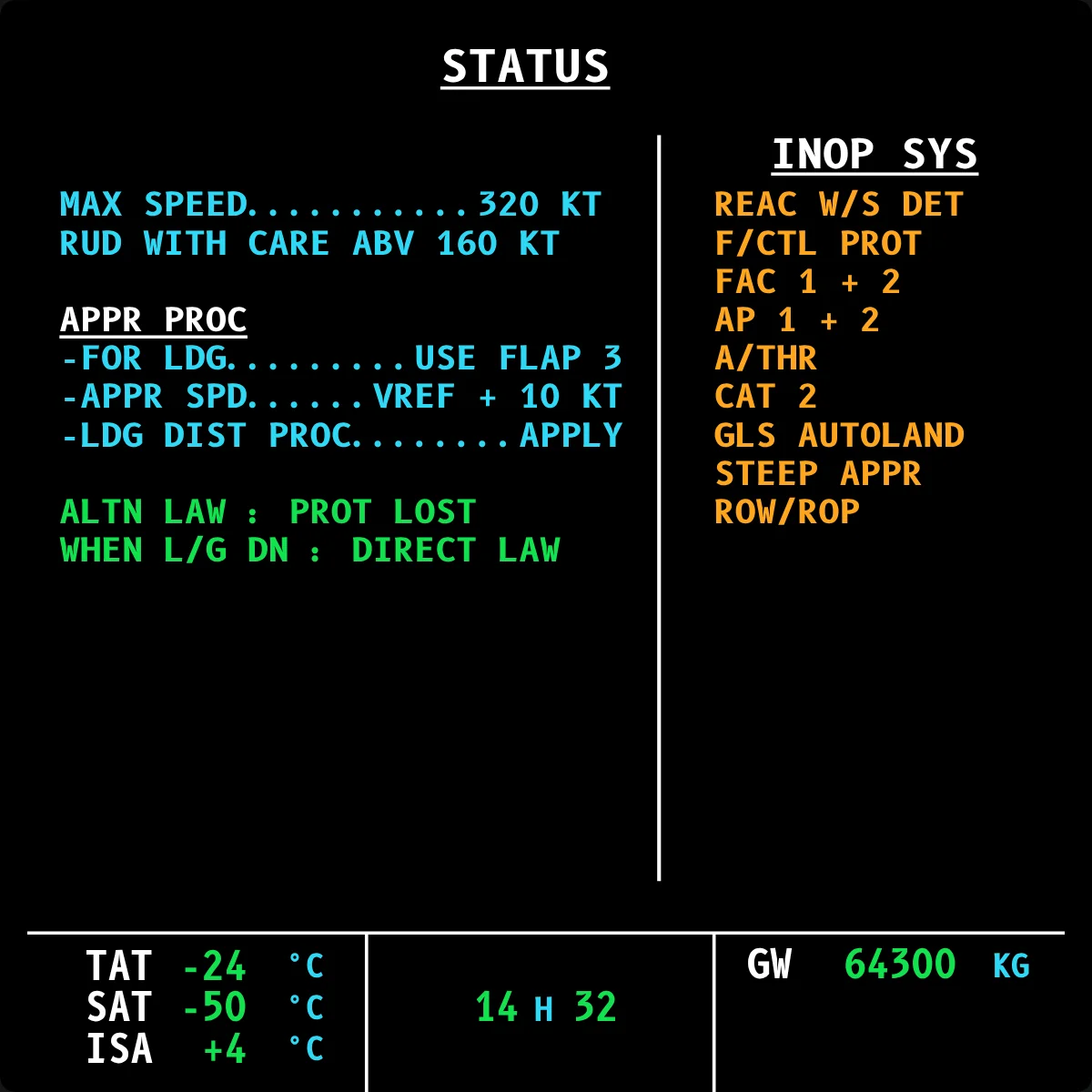
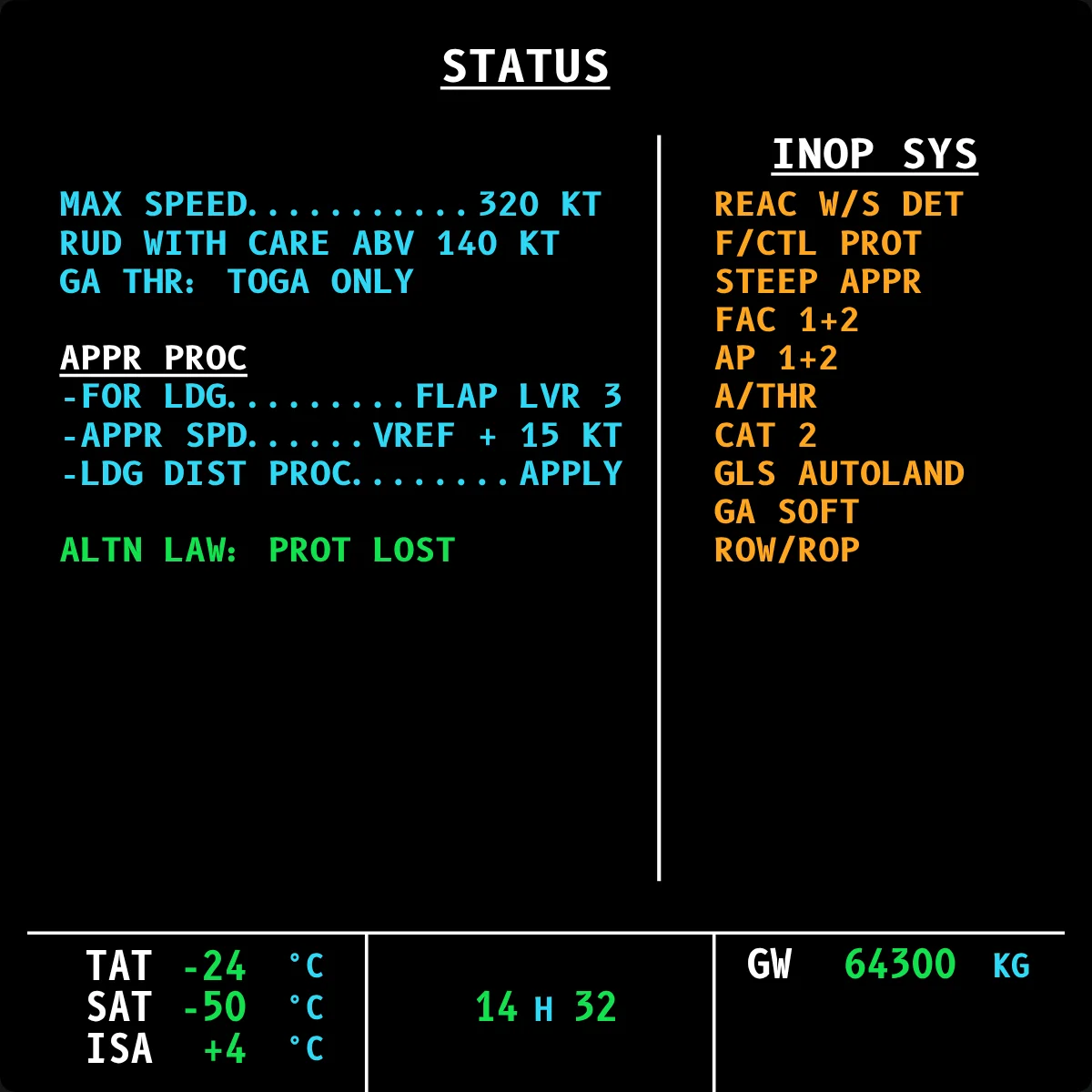
STATUS is the aircraft's operational summary: limitations in blue, the approach procedure, information in green and the inoperative systems in amber.
The FCOM prints five versions of this STATUS. They differ in the rudder speed, 140 or 160 kt, the flap line, FLAP LVR 3 or USE FLAP 3, the approach speed, VREF + 10 KT or VREF + 15 KT, the GA THR line and GA SOFT, and the direct law line at gear down; the two pictures are two of them.
The FOR LDG line becomes a reminder once configuration 3 is selected, and GPWS LDG FLAP 3 ON shows when the flaps are in configuration 3; neither applies in the cruise drawn. Both pictures list REAC W/S DET, the line for aircraft with the predictive windshear system.
Which version applies depends on your aircraft: check your own FCOM.
Sources FCOM DSC-31-20 STATUS PAGE / FCOM PRO-ABN-AUTO_FLT AUTO FLT
A319ceo, A320ceo, A320neo, A321neo: what differs?
| A319ceo, A320ceo | A320neo, A321neo | |
|---|---|---|
| The caution and its trigger | The same in every version | The same in every version |
| Rudder travel limitation law | A320ceo: 25° up to 160 kt, 3.4° at 380 kt. A319: 30° up to 140 kt, 3.4° at 380 kt | 30° up to 140 kt; at 350 kt, 3.25° on the A320neo and 2.9° on the A321neo |
| Procedure: the rudder line | Not given by type: RUD WITH CARE ABV 140 KT in some versions, 160 KT in others | Not given by type: RUD WITH CARE ABV 140 KT in some versions, 160 KT in others |
| Law reconfiguration, both FACs lost | Not given by type: alternate law, roll direct, in one version; normal law with ALTN LAW indicated in another | Not given by type: alternate law, roll direct, in one version; normal law with ALTN LAW indicated in another |
| STATUS: approach speed and go-around | Not given by type: VREF + 10 KT in some versions, VREF + 15 KT with GA THR: TOGA ONLY and GA SOFT inoperative in others | Not given by type: VREF + 10 KT in some versions, VREF + 15 KT with GA THR: TOGA ONLY and GA SOFT inoperative in others |
Sources FCOM PRO-ABN-AUTO_FLT AUTO FLT FAC 1 + 2 FAULT / FCOM DSC-22_40-20 RUDDER TRAVEL LIMITATION / FCOM PRO-ABN-AUTO_FLT AUTO FLT / FCOM DSC-27-20-20 FLIGHT CONTROLS LAW RECONFIGURATION

Work AUTO FLT FAC 1+2 FAULT as a crew
Read and do each line against the FCOM, with the E/WD, the SD page and the overhead following your hands, the PF and PM calls, and a debrief that says what you missed.
Work this failure in the ECAM TrainerGo further
Written in our own words from the FCOM and the FCTM; each part names the units it rests on. The E/WD, the STATUS and the live aircraft are the platform's own ECAM and systems model, the same the ECAM Trainer and the flight deck run. This page explains the procedure; it is not the procedure. Aircraft differ by type, engine and options: your aircraft's FCOM, your QRH and your operator's procedures always come first. How we write and check these pages.
Every ECAM procedure, line by line, against the FCOM.
The ECAM Trainer works 108 scenarios with the E/WD, the SD page and the overhead following your hands. Start free today, or open everything with A320 Knowledge+.
For study and revision only. Always follow your operator's approved documentation and procedures. A320 Knowledge is independent and not affiliated with Airbus.
Related
- AUTO FLT A/THR OFFAn amber caution for an involuntary autothrust disconnection: with the levers in the CL detent the thrust locks where it was, and the levers must come out of the detent.
- AUTO FLT FAC 1 FAULTAn amber caution for one of the two flight augmentation computers, the FACs behind the yaw damper, the rudder trim, the rudder travel limit and the speeds on the PFD.
- A320 auto flight and FMSThe system guide, with the live aircraft
- Every ECAM procedureThe alerts the ECAM Trainer works, grouped by system