
ANTI ICE CAPT PITOT
An amber caution for the heating of the captain's pitot probe. Here is what heats the probes and when, what the captain's pitot feeds, what the one line on the E/WD does and what is lost, with the live aircraft at the moment the caution comes on.
Written and checked by current A320 pilotschecked against the FCOM on Our editorial policy
What ANTI ICE CAPT PITOT means
ANTI ICE CAPT PITOT is an amber caution: the heating system of the captain's pitot probe has failed. The captain's probes supply ADIRU 1, whose air data part, ADR 1, normally feeds the captain's PFD and ND.
The E/WD has one line, AIR DATA SWTG to CAPT 3: ADR 3 replaces ADR 1 on the captain's side, if ADR 3 is reliable and not in use. ADIRU 3 takes its air data from the standby probes and the captain's TAT probe. STATUS lists CAPT PITOT as inoperative.
Sources FCOM PRO-ABN-A-ICE ANTI ICE CAPT PITOT / FCOM DSC-34-NAV-10-10 PROBES SCHEMATIC / FCOM DSC-34-NAV-10-20 PEDESTAL / FCOM PRO-ABN-A-ICE A-ICE / FCOM PRO-ABN-A-ICE
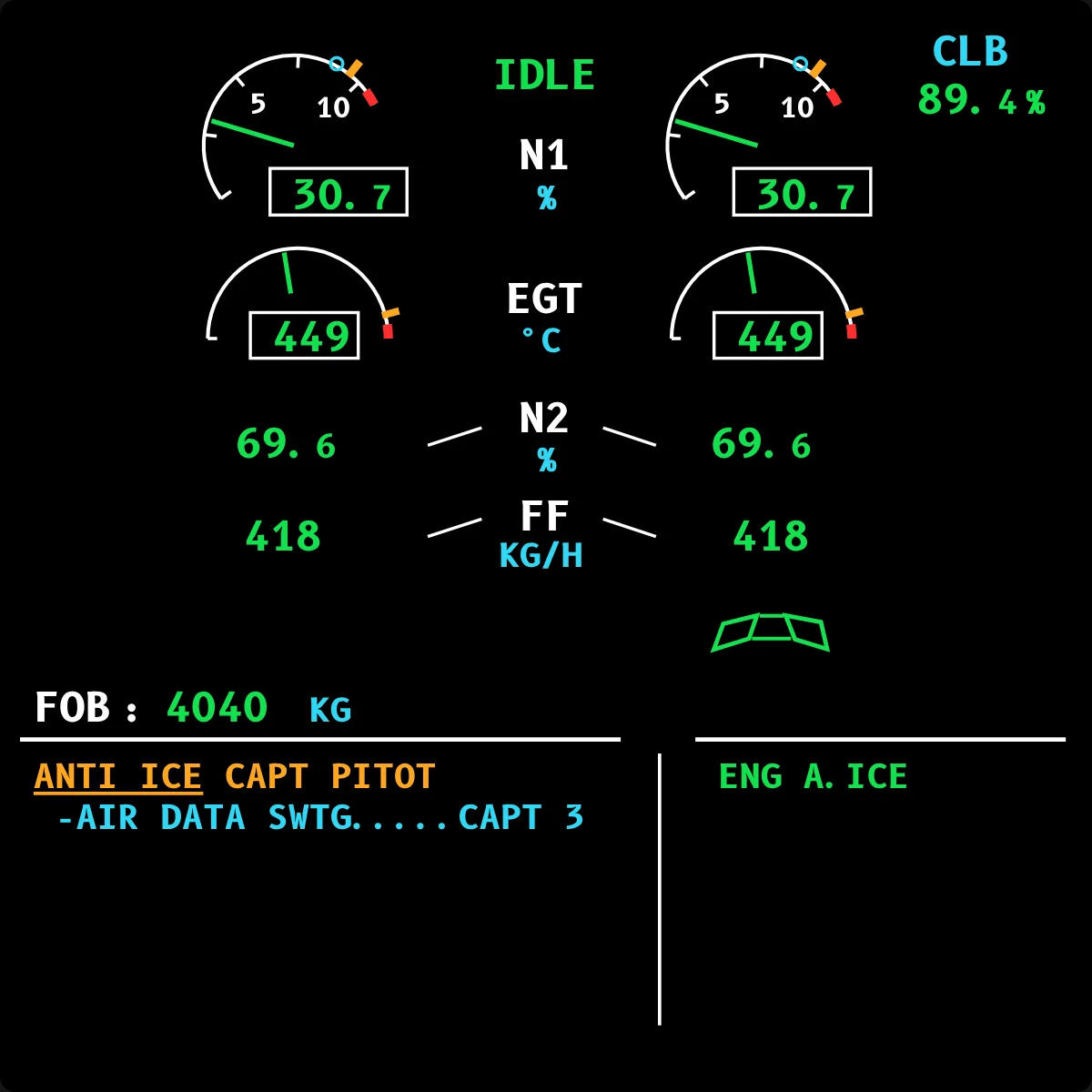
At a glance
- Level
- Amber caution, level 2: single chime and MASTER CAUT steady amber
- Sets it off
- The heating system of the captain's pitot probe failed
- Heating
- Three probe heat computers: captain, first officer and standby probes
- Procedure
- One line: AIR DATA SWTG to CAPT 3, if ADR 3 is reliable and not in use
- STATUS
- CAPT PITOT under INOP SYS
Sources FCOM DSC-31-10 WARNING/CAUTION CLASSIFICATION / FCOM DSC-31-30 ATTENTION GETTERS / FCOM PRO-ABN-A-ICE ANTI ICE CAPT PITOT / FCOM DSC-30-50-10 DESCRIPTION / FCOM PRO-ABN-A-ICE A-ICE / FCOM PRO-ABN-A-ICE
What heats the probes, and when?
Electrical heating protects the pitot probes, the static ports, the angle of attack probes and the total air temperature probes. Three independent probe heat computers (PHCs) control and monitor them automatically: one for the captain's probes, one for the first officer's and one for the standby probes. They protect against overheating and indicate faults.
The probes are heated automatically when at least one engine is running, or in flight, and manually when the crew switches the PROBE/WINDOW HEAT pushbutton ON. On the ground the TAT probes are not heated and the pitot heating works at a low level; the change to normal power in flight is automatic.
The ADIRS has three pitot probes, six static pressure probes, three angle of attack sensors and two TAT probes, all electrically heated to keep them from icing up. ADIRU 1 is supplied by the captain's probes, ADIRU 2 by the first officer's, and ADIRU 3 by the standby probes and the captain's TAT probe.
Sources FCOM DSC-30-50-10 DESCRIPTION / FCOM DSC-30-50-20 OVERHEAD PANEL / FCOM DSC-34-NAV-10-10 GENERAL / FCOM DSC-34-NAV-10-10 PROBES SCHEMATIC
Three heat computers, three sets of probes
AUTO or ON, before the engines start
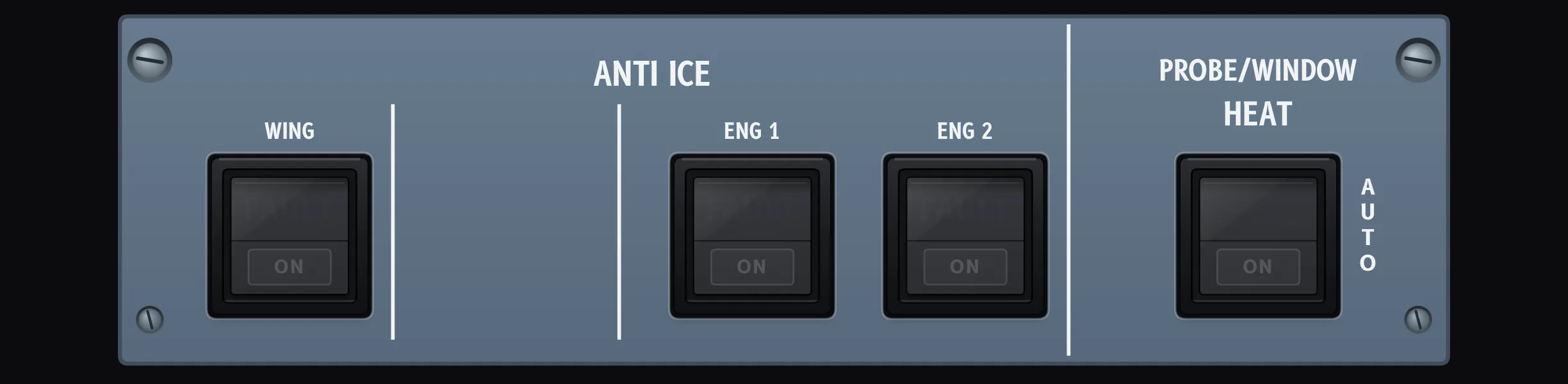
On the ground, both engines stopped, PROBE/WINDOW HEAT in AUTO with nothing lit. The pushbutton is on its own panel, to the right of the ANTI ICE panel below.
-
Predict No engine is running and the pushbutton is in AUTO. You press it ON. Are the probes heated now?
Try it Press PROBE/WINDOW HEAT.
ON lights blue and the probes and windows are heated with no engine running: the pushbutton's description says permanently. In AUTO they are heated in flight, or on the ground once an engine runs, except the TAT probes on the ground.
The pushbutton has no FAULT light: its description gives only the blue ON. A failed heater shows as an ECAM caution, this one for the captain's pitot.
Sources FCOM DSC-30-50-20 OVERHEAD PANEL / FCOM DSC-30-50-10 DESCRIPTION / FCOM PRO-ABN-A-ICE ANTI ICE CAPT PITOT
What does the crew see and hear?
A level 2 caution: a single chime, the MASTER CAUT light steady amber and the caution in amber on the E/WD, with one blue line, AIR DATA SWTG to CAPT 3.
No light comes on for it in the PROBE/WINDOW HEAT pushbutton: its description lists only its blue ON light. The FCOM's flight phase chart inhibits the caution from takeoff power to 1 500 ft, and from 800 ft down to 80 kt after touchdown.
Sources FCOM DSC-31-10 WARNING/CAUTION CLASSIFICATION / FCOM DSC-31-30 ATTENTION GETTERS / FCOM PRO-ABN-A-ICE A-ICE / FCOM DSC-30-50-20 OVERHEAD PANEL / FCOM PRO-ABN-A-ICE ANTI ICE CAPT PITOT
The moment the caution comes on
In flight, all three ADRs working, AIR DATA at NORM on the pedestal's SWITCHING panel below. Press the button to fail the captain's pitot heat, then read the E/WD.
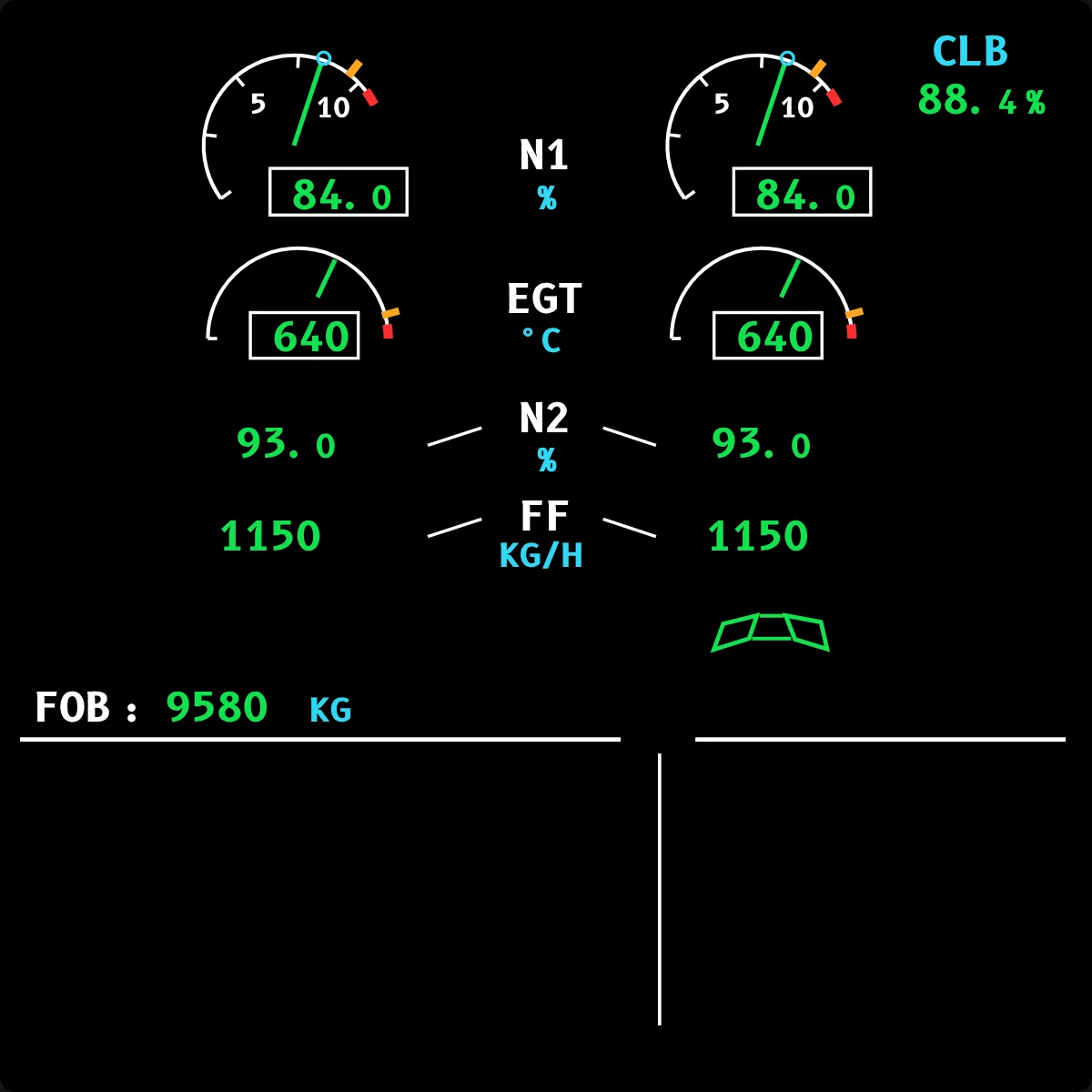

The alert Fail the captain's pitot heat
ANTI ICE CAPT PITOT comes up in amber with one line in blue, AIR DATA SWTG to CAPT 3. The AIR DATA selector below is still at NORM: on the aircraft, NORM has ADIRU 1 supply the captain's PFD and ND.
No PFD and no overhead panel are drawn here; on the aircraft, the PROBE/WINDOW HEAT pushbutton's description gives it no fault light. Working the line is what the ECAM Trainer does with you.
Sources FCOM PRO-ABN-A-ICE ANTI ICE CAPT PITOT / FCOM PRO-ABN-A-ICE A-ICE / FCOM DSC-34-NAV-10-20 PEDESTAL / FCOM DSC-30-50-20 OVERHEAD PANEL
What does an unheated pitot mean for ADR 1?
ADR 1, the air data part of ADIRU 1, supplies barometric altitude, airspeed, Mach, angle of attack, temperature and overspeed warnings, from the captain's probes. In NORM, ADIRU 1 supplies the captain's PFD and ND.
The caution's trigger is the heating, not the speed. The FCOM's procedure gives no account of what follows for ADR 1. The FCTM lists ice accretion after a pitot heat failure among the causes of erroneous airspeed. For a totally obstructed pitot it gives two cases: with the drain holes clear, total pressure leaks towards the static pressure and the IAS drops; with them blocked, the IAS stays constant in level flight, increases in a climb and decreases in a descent.
The FCTM also describes the voting the systems use. Each ELAC receives speed from the three ADRs and compares the values; when one ADR is erroneous and the other two are correct, the ELACs and the FAC and/or FMGC eliminate the erroneous one.
Sources FCOM DSC-34-NAV-10-10 GENERAL / FCOM DSC-34-NAV-10-10 PROBES SCHEMATIC / FCOM DSC-34-NAV-10-20 PEDESTAL / FCOM PRO-ABN-A-ICE ANTI ICE CAPT PITOT / FCOM PRO-ABN-A-ICE A-ICE / FCTM PR-AEP-NAV UNRELIABLE AIRSPEED INDICATIONS
What does the AIR DATA line do, and does an ADR go off?
The AIR DATA selector is on the pedestal's SWITCHING panel. At CAPT 3, ADR 3 replaces ADR 1; at F/O 3, it replaces ADR 2. The procedure's comment sets a condition: select ADR 3 to the captain's side if ADR 3 is reliable and not in use.
ADIRU 3 takes its air data from the standby probes, heated by their own computer, and from the captain's TAT probe. The FCOM gives no reason for the line beyond its comment.
ADR 1 stays on: the procedure has no ADR pushbutton line. Where two pitots lose their heat, the FCOM gives its reason for switching an ADR off. With the captain's and first officer's pitots iced alike, ADR 1 and ADR 2 would agree but be wrong, and the flight controls would reject the only correct source; with ADR 3 operative and on, that procedure has ADR 1 or 2 switched off.
The first officer's pitot has its own caution and line, AIR DATA SWTG to F/O 3, with ADR 3 supplying PFD 2 and ND 2, and a note not to select F/O 3 if ADR 3 is not available.
Sources FCOM DSC-34-NAV-10-20 PEDESTAL / FCOM PRO-ABN-A-ICE A-ICE / FCOM DSC-34-NAV-10-10 PROBES SCHEMATIC / FCOM DSC-30-50-10 DESCRIPTION / FCOM PRO-ABN-A-ICE ANTI ICE CAPT + F/O PITOT / FCOM PRO-ABN-A-ICE ANTI ICE F/O PITOT OR L( R) STAT OR AOA
AIR DATA at CAPT 3
What is lost, and what if a second probe goes?
STATUS lists CAPT PITOT under INOP SYS, in amber, and nothing else: no limitation and no approach procedure.
With the captain's and first officer's pitot heating both failed, ANTI ICE CAPT + F/O PITOT follows its own procedure: ADR 1 or 2 off if ADR 3 is operative and on, chosen by the state of the static, AOA and TAT heating. If ADR 3 is failed or off, no action is required as long as there are no icing conditions, to keep two independent speed sources.
The captain's probe heat computer itself has a caution of its own, ANTI ICE CAPT PROBES, with the same AIR DATA line and a note not to select CAPT 3 if ADR 3 is not available.
Sources FCOM PRO-ABN-A-ICE / FCOM PRO-ABN-A-ICE ANTI ICE CAPT + F/O PITOT / FCOM PRO-ABN-A-ICE A-ICE / FCOM PRO-ABN-A-ICE ANTI ICE CAPT PROBES
What is lost afterwards?
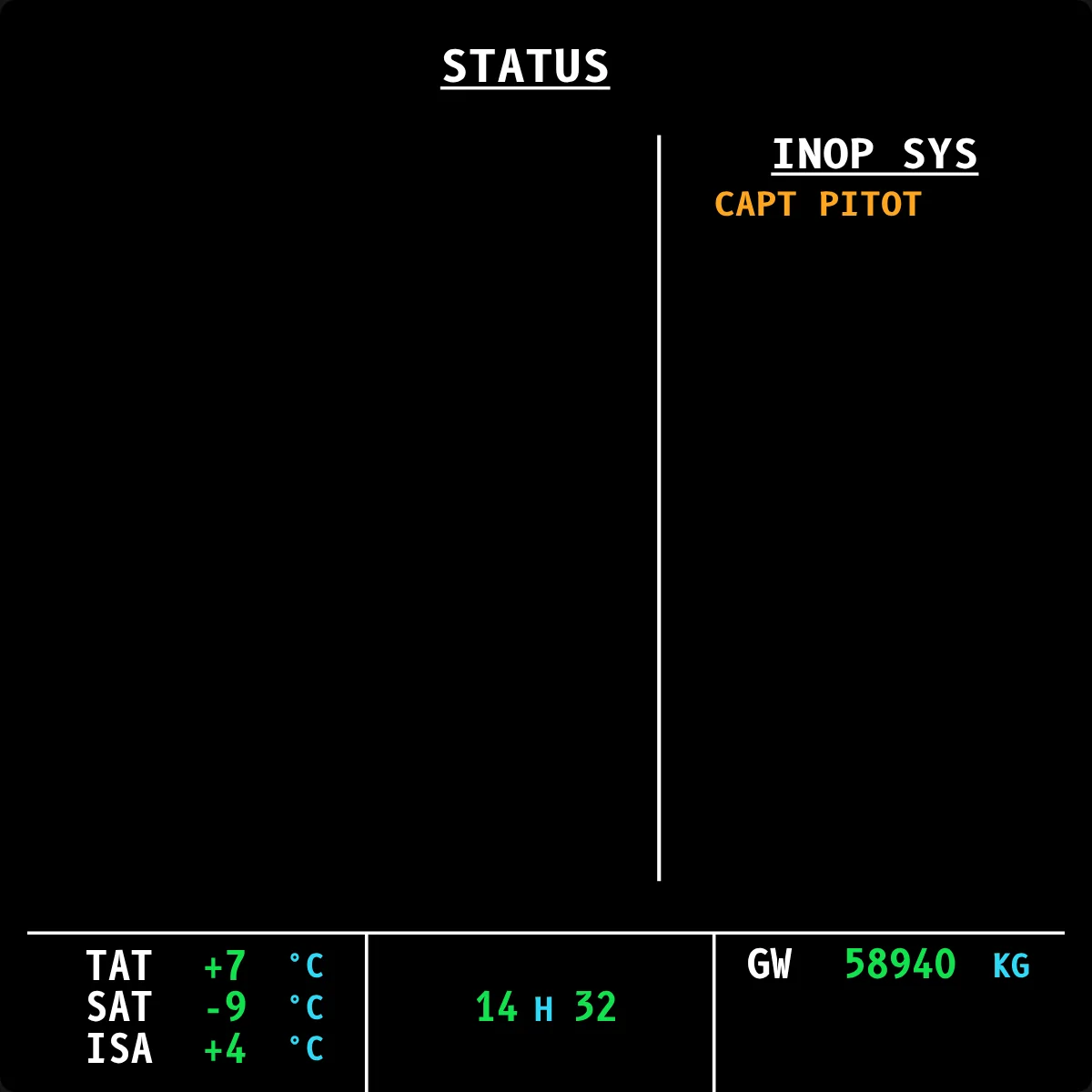
STATUS is the aircraft's operational summary. After this caution it lists only CAPT PITOT, in amber, under INOP SYS.
The FCOM prints one procedure and one STATUS for this caution, for all aircraft; the ECAM Trainer draws that one STATUS.
Sources FCOM DSC-31-20 STATUS PAGE / FCOM PRO-ABN-A-ICE / FCOM PRO-ABN-A-ICE ANTI ICE CAPT PITOT / FCOM PRO-ABN-A-ICE A-ICE
A319ceo, A320ceo, A320neo, A321neo: what differs?
| A319ceo, A320ceo | A320neo, A321neo | |
|---|---|---|
| The caution, its line and STATUS | The same in every version | The same in every version |
| The probe heat computers and PROBE/WINDOW HEAT | The same on all four types | The same on all four types |
Sources FCOM PRO-ABN-A-ICE ANTI ICE CAPT PITOT / FCOM PRO-ABN-A-ICE A-ICE / FCOM PRO-ABN-A-ICE / FCOM DSC-30-50-10 DESCRIPTION / FCOM DSC-30-50-20 OVERHEAD PANEL

Work ANTI ICE CAPT PITOT as a crew
Read and do each line against the FCOM, with the E/WD, the SD page and the overhead following your hands, the PF and PM calls, and a debrief that says what you missed.
Work this failure in the ECAM TrainerGo further
Written in our own words from the FCOM and the FCTM; each part names the units it rests on. The E/WD, the STATUS and the live aircraft are the platform's own ECAM and systems model, the same the ECAM Trainer and the flight deck run. This page explains the procedure; it is not the procedure. Aircraft differ by type, engine and options: your aircraft's FCOM, your QRH and your operator's procedures always come first. How we write and check these pages.
Every ECAM procedure, line by line, against the FCOM.
The ECAM Trainer works 108 scenarios with the E/WD, the SD page and the overhead following your hands. Start free today, or open everything with A320 Knowledge+.
For study and revision only. Always follow your operator's approved documentation and procedures. A320 Knowledge is independent and not affiliated with Airbus.